Health-Track

Overview
- Health Data and Information Management System (HDIMS) is a digital platform that centralizes patient health records, appointments, prescriptions, and analytics.
- It improves accessibility, enhances healthcare decision-making, ensures secure data handling, and enables efficient interaction between patients, doctors, hospitals, and laboratories.
➡️ Flow Diagram
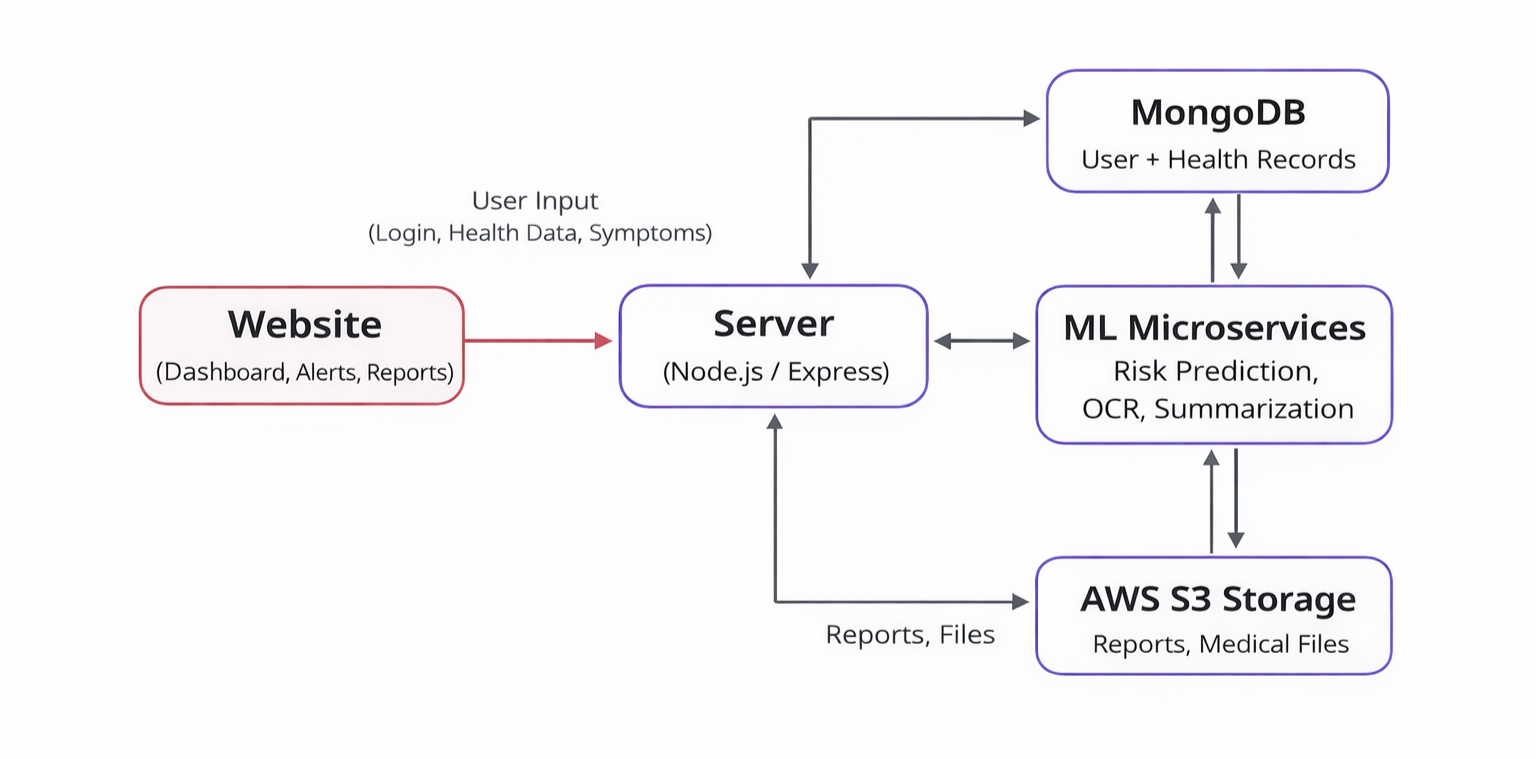
➡️ Screenshots
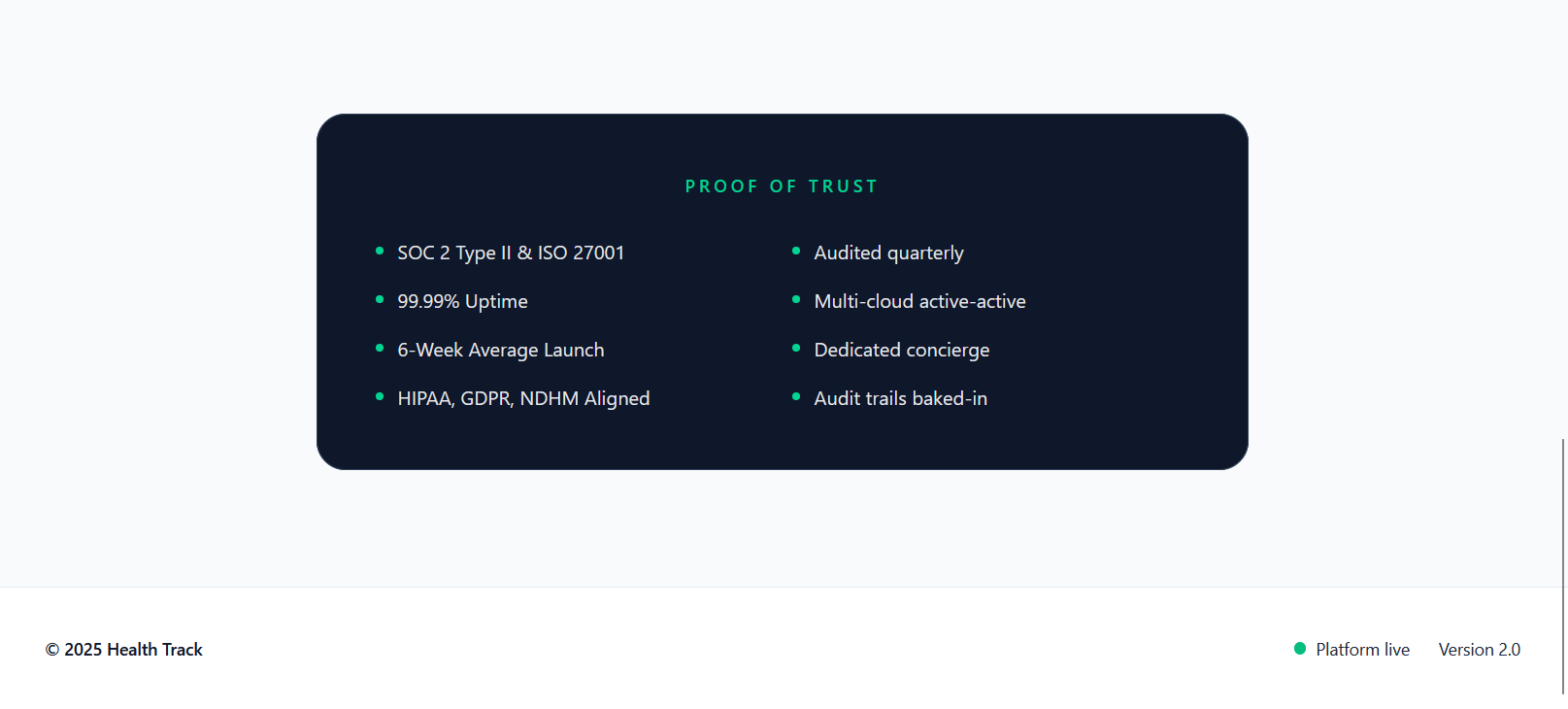
➡️ Homepage
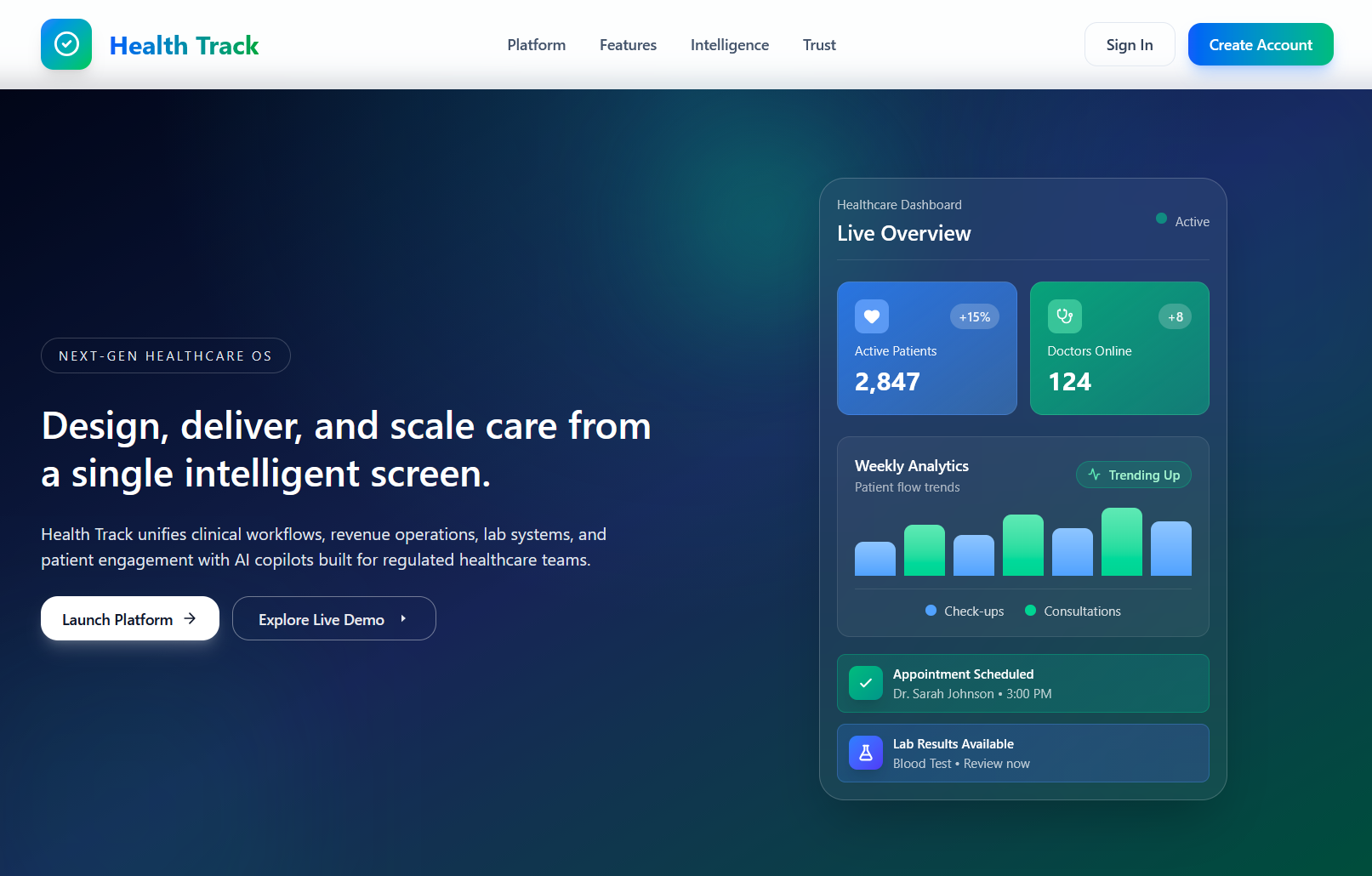
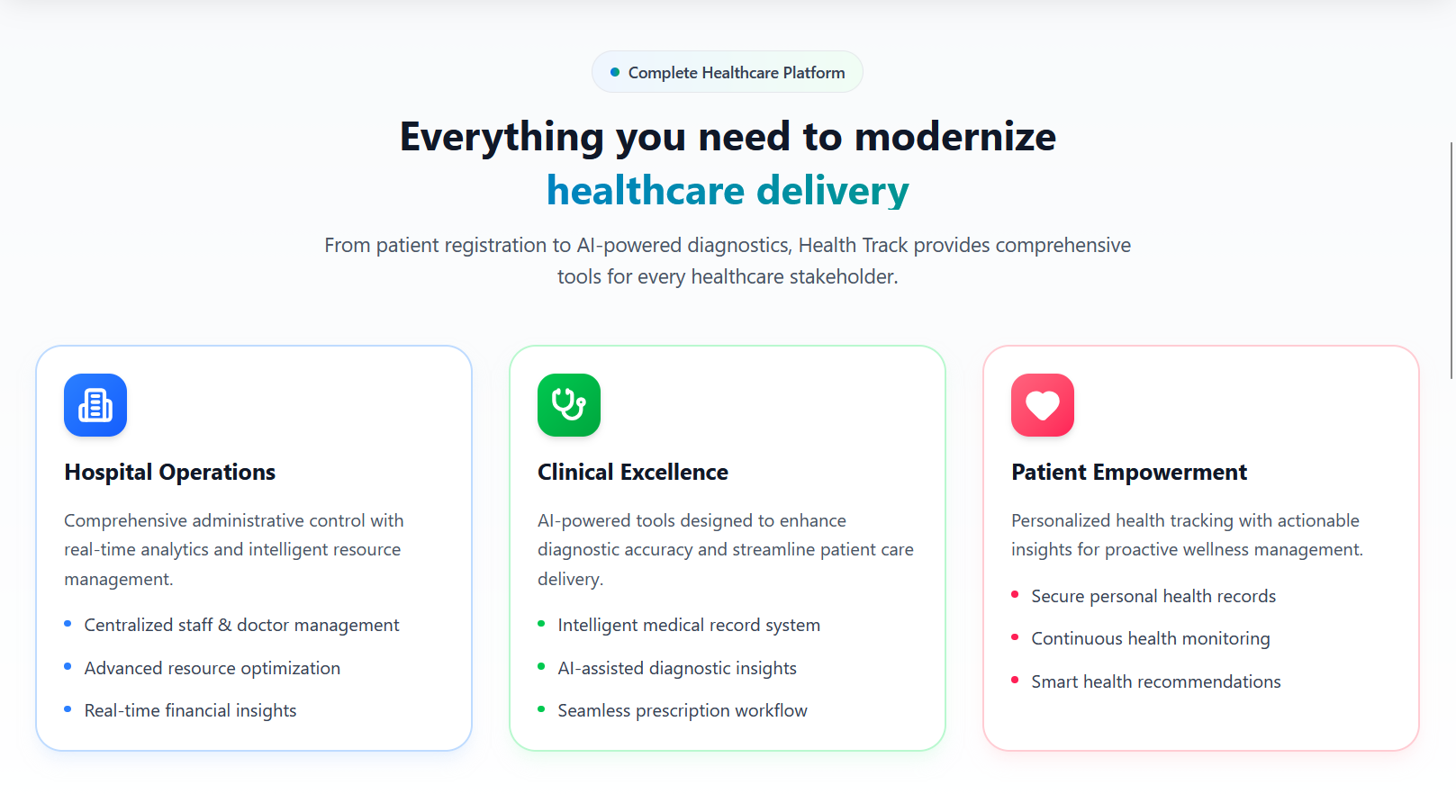
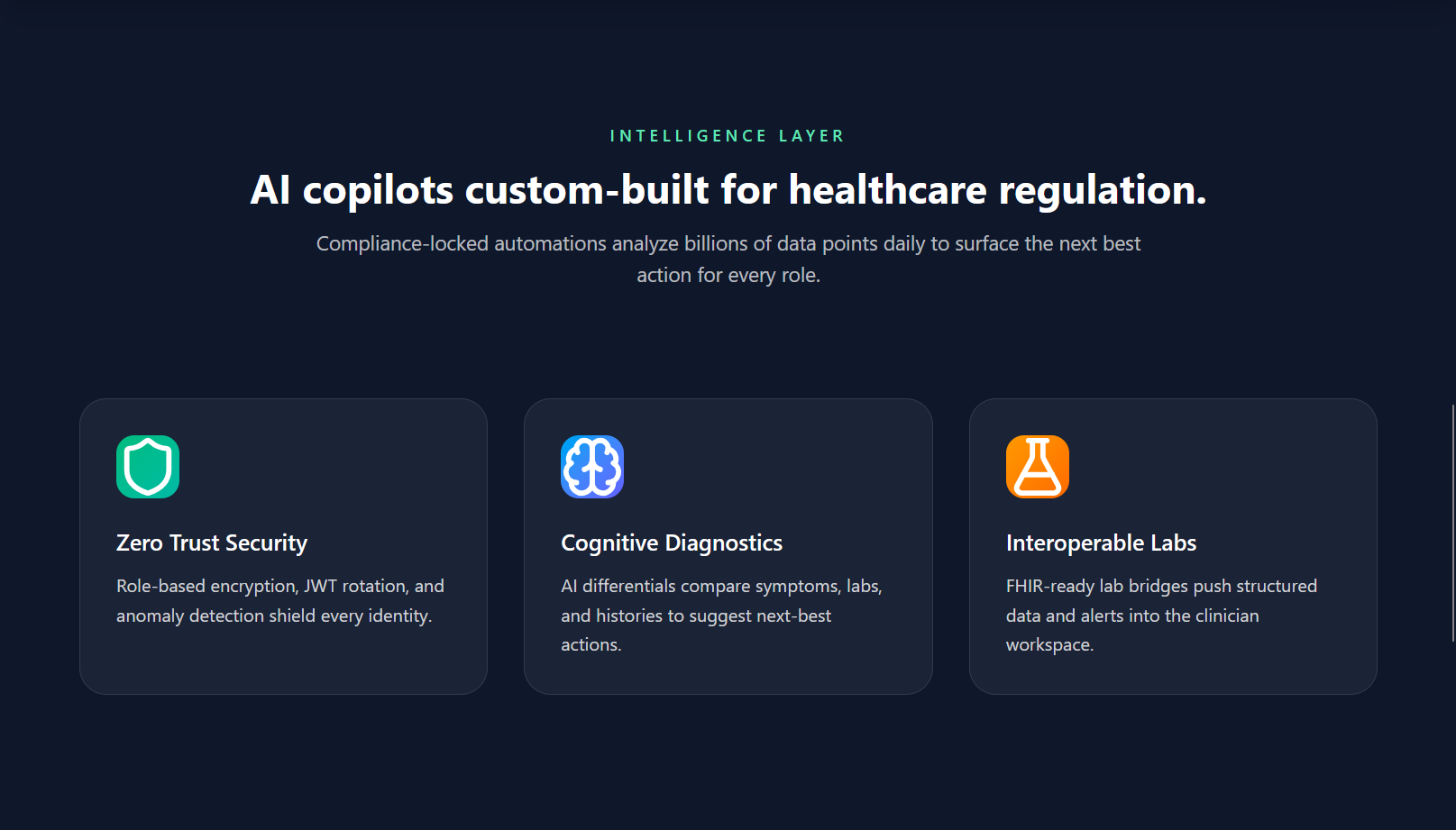
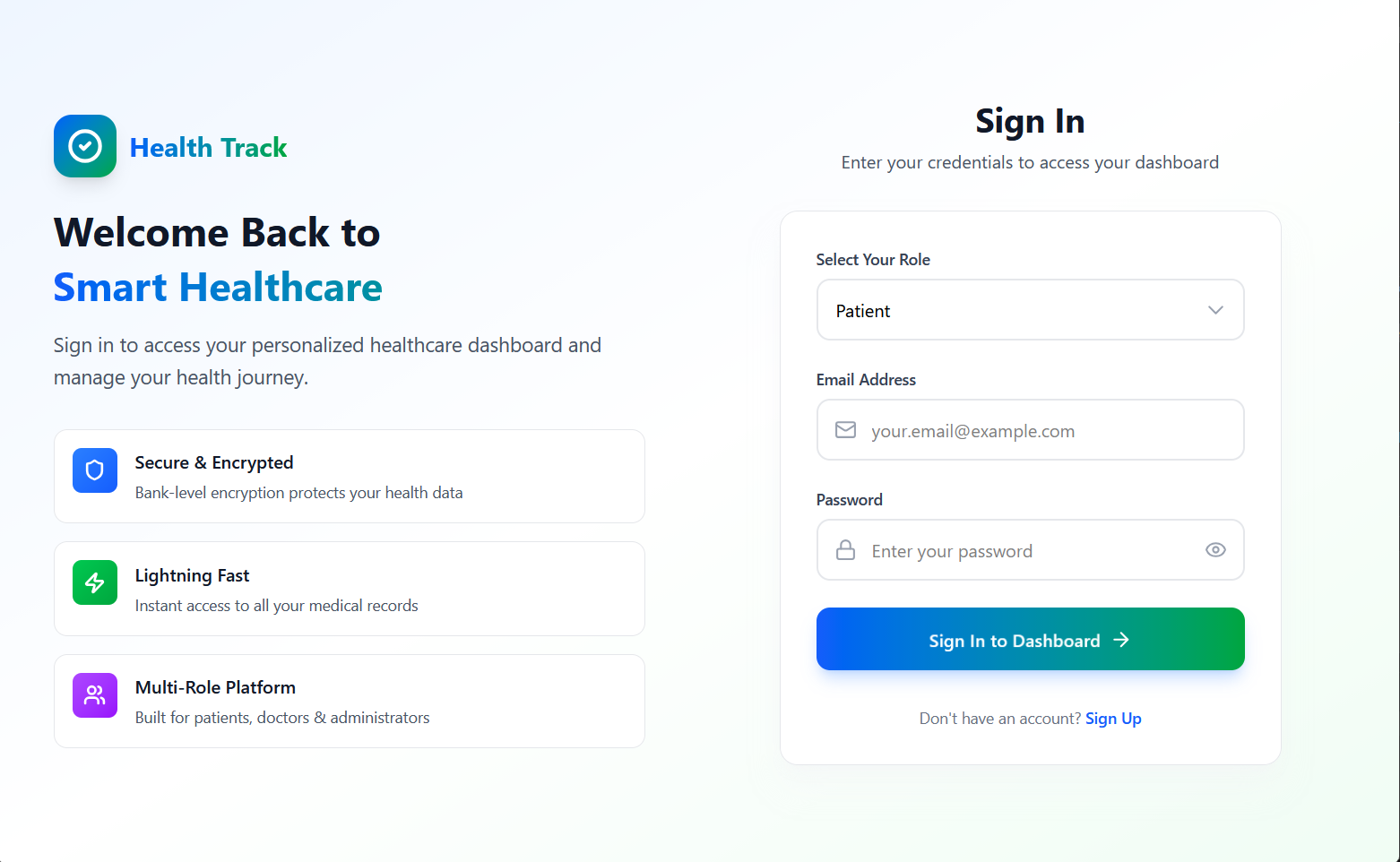
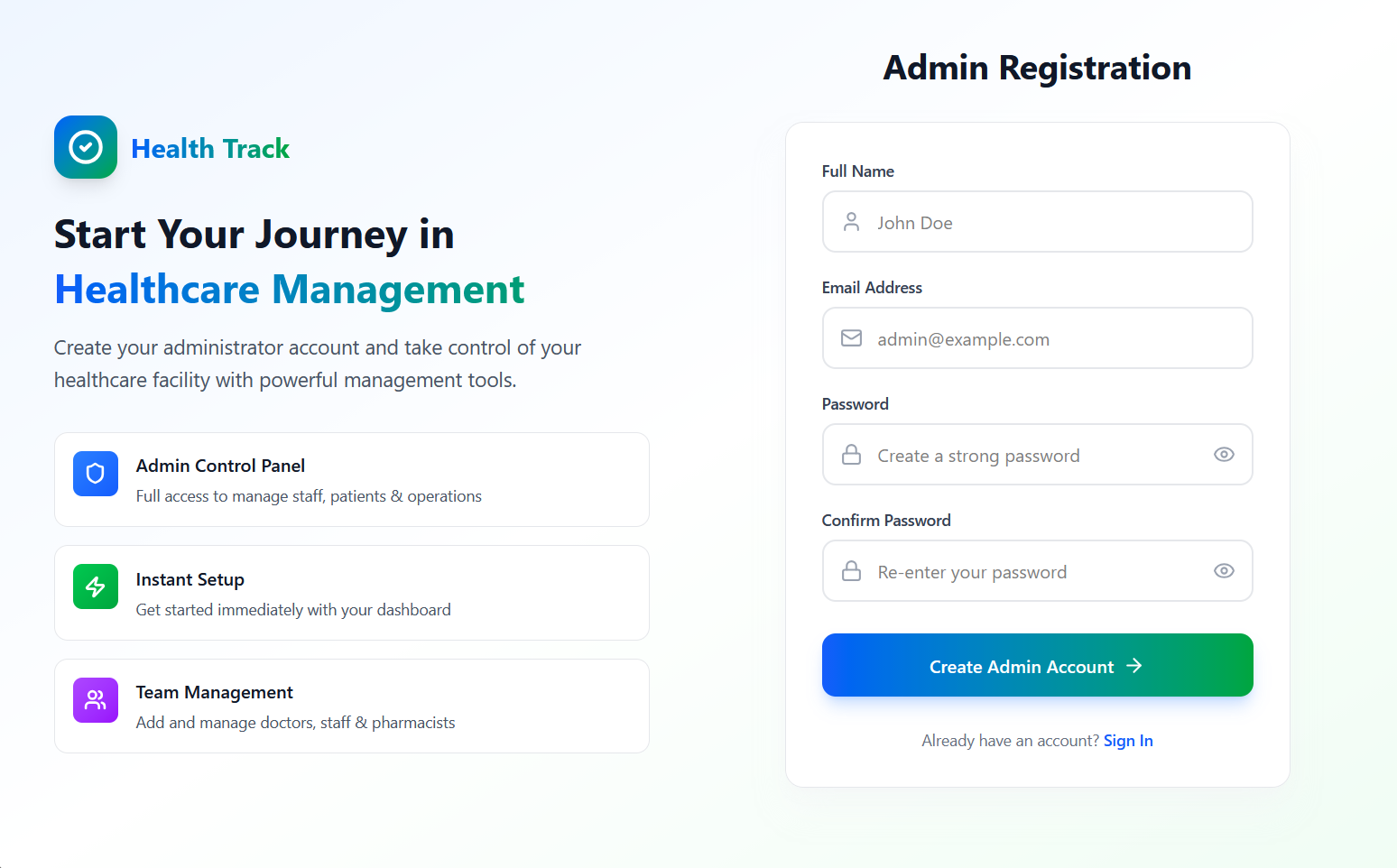
➡️ Authentication
➡️ Admin Dashboard
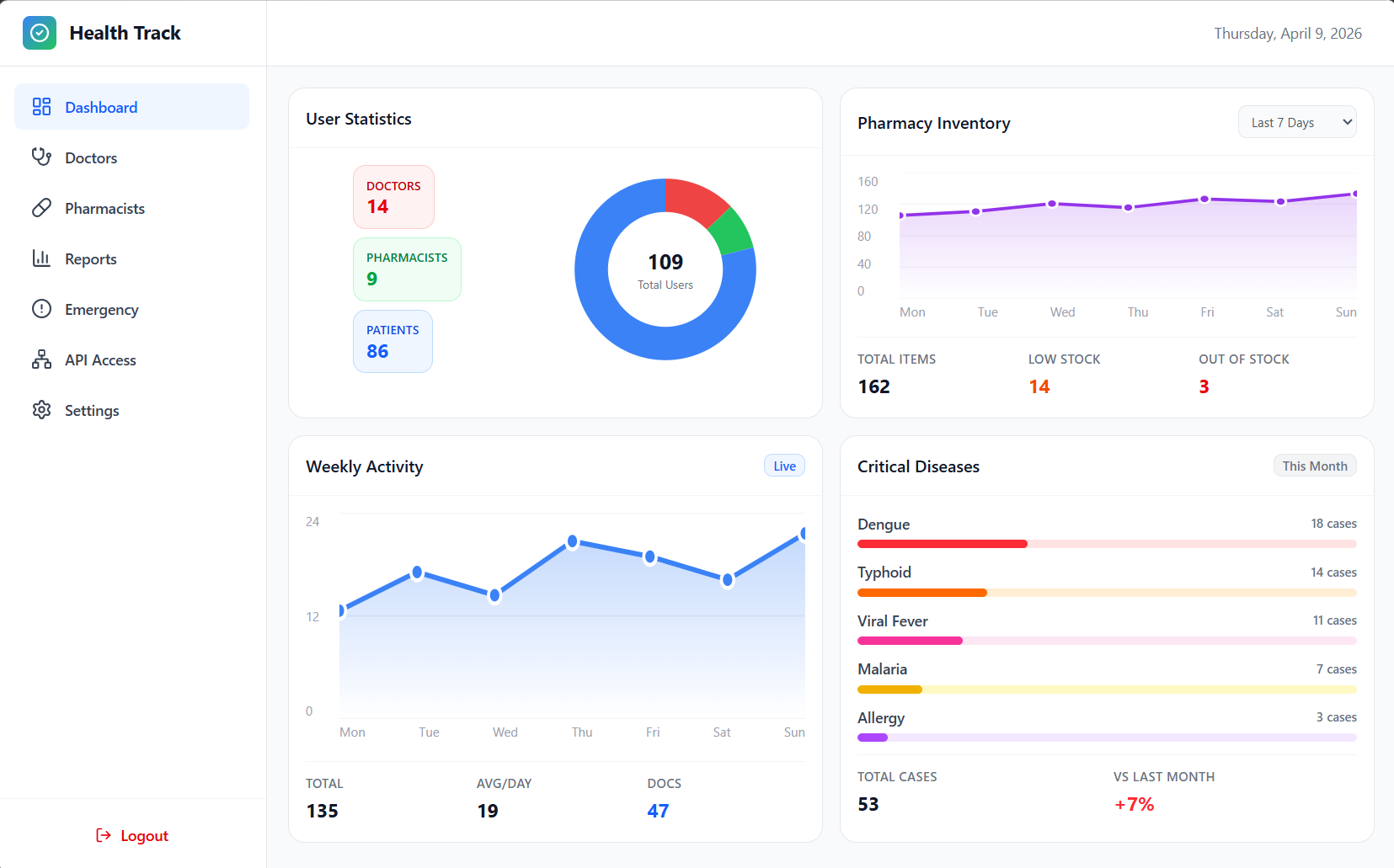
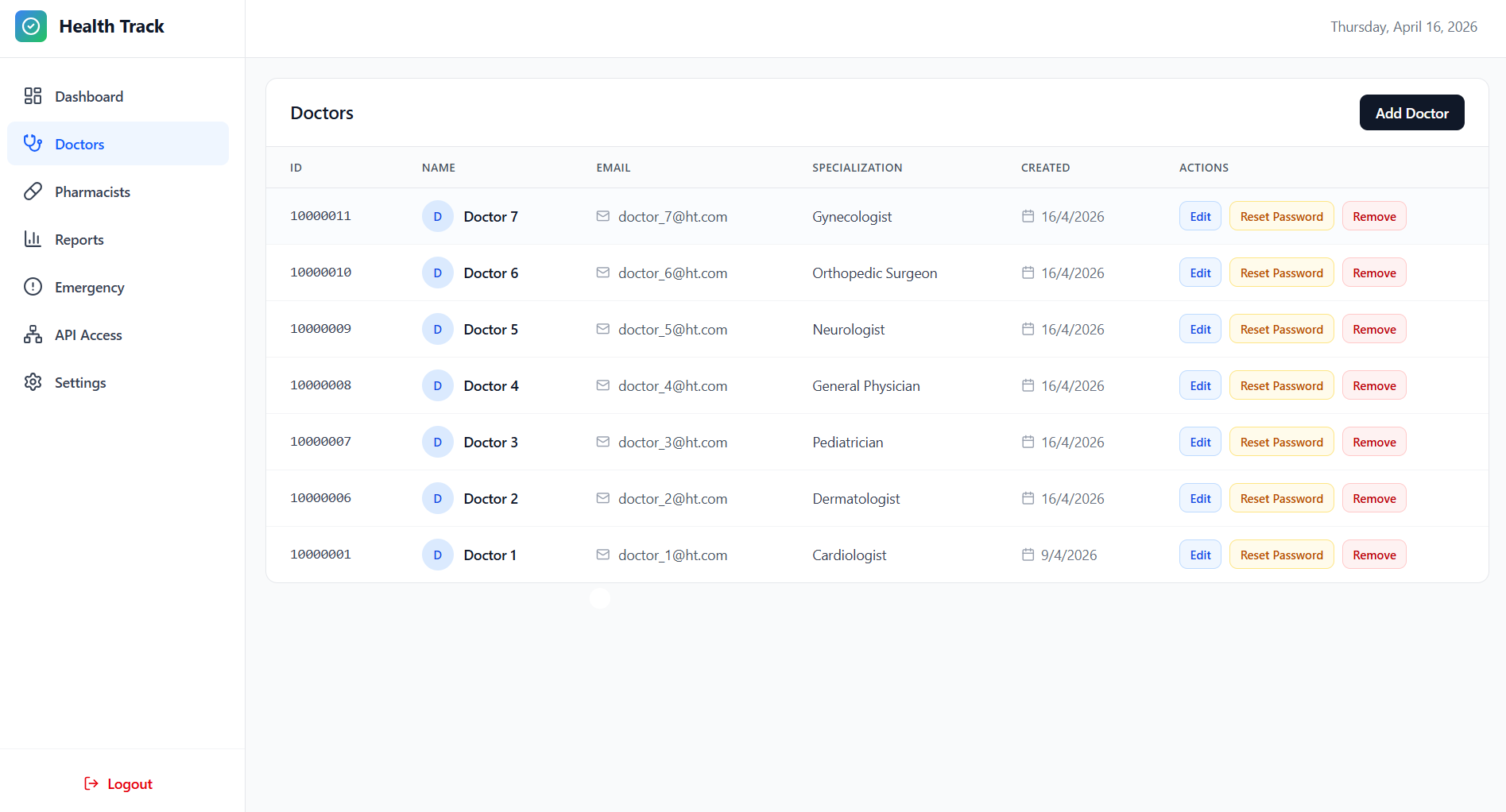
Doctors
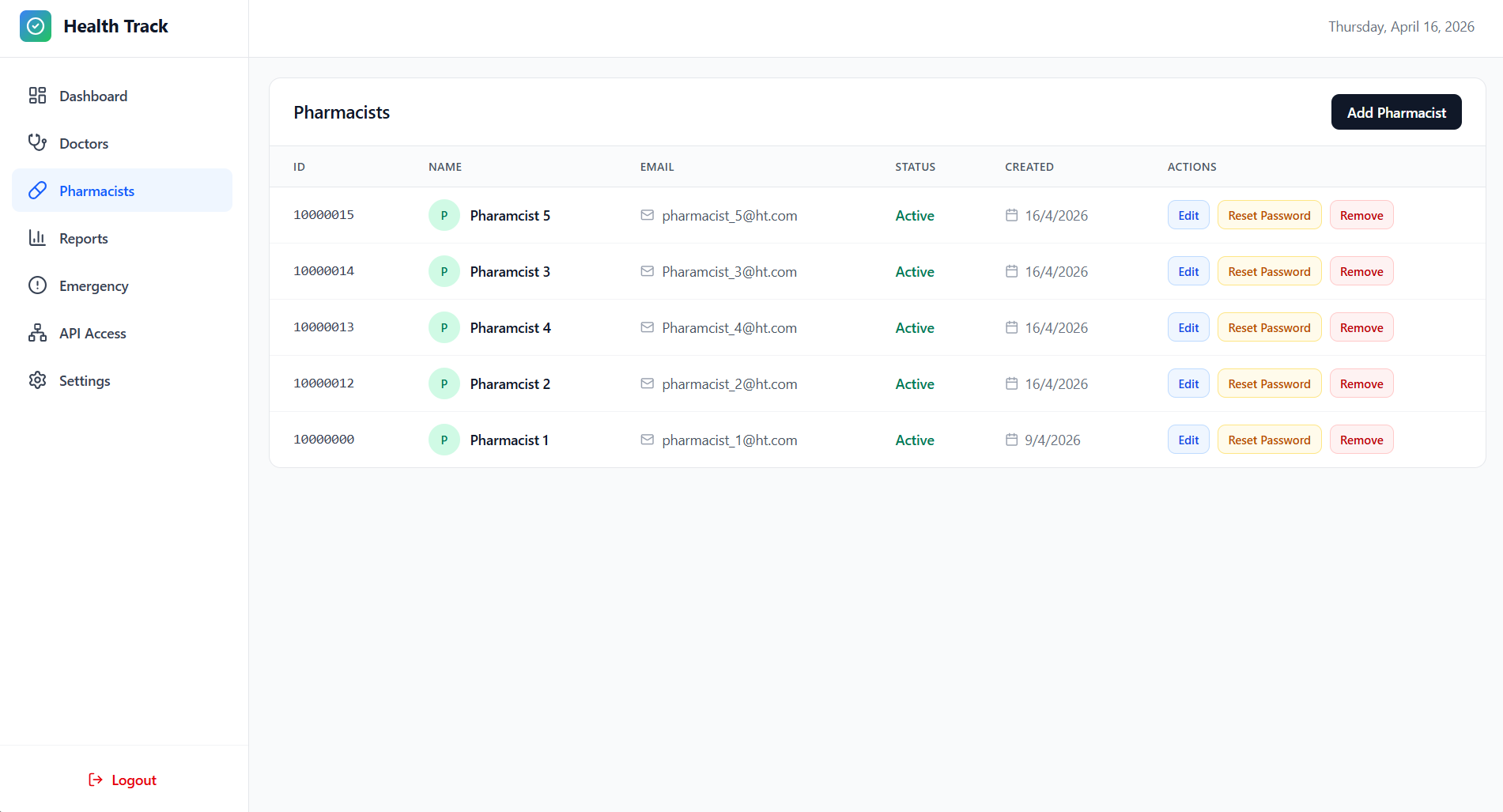
Pharmacists
Reports
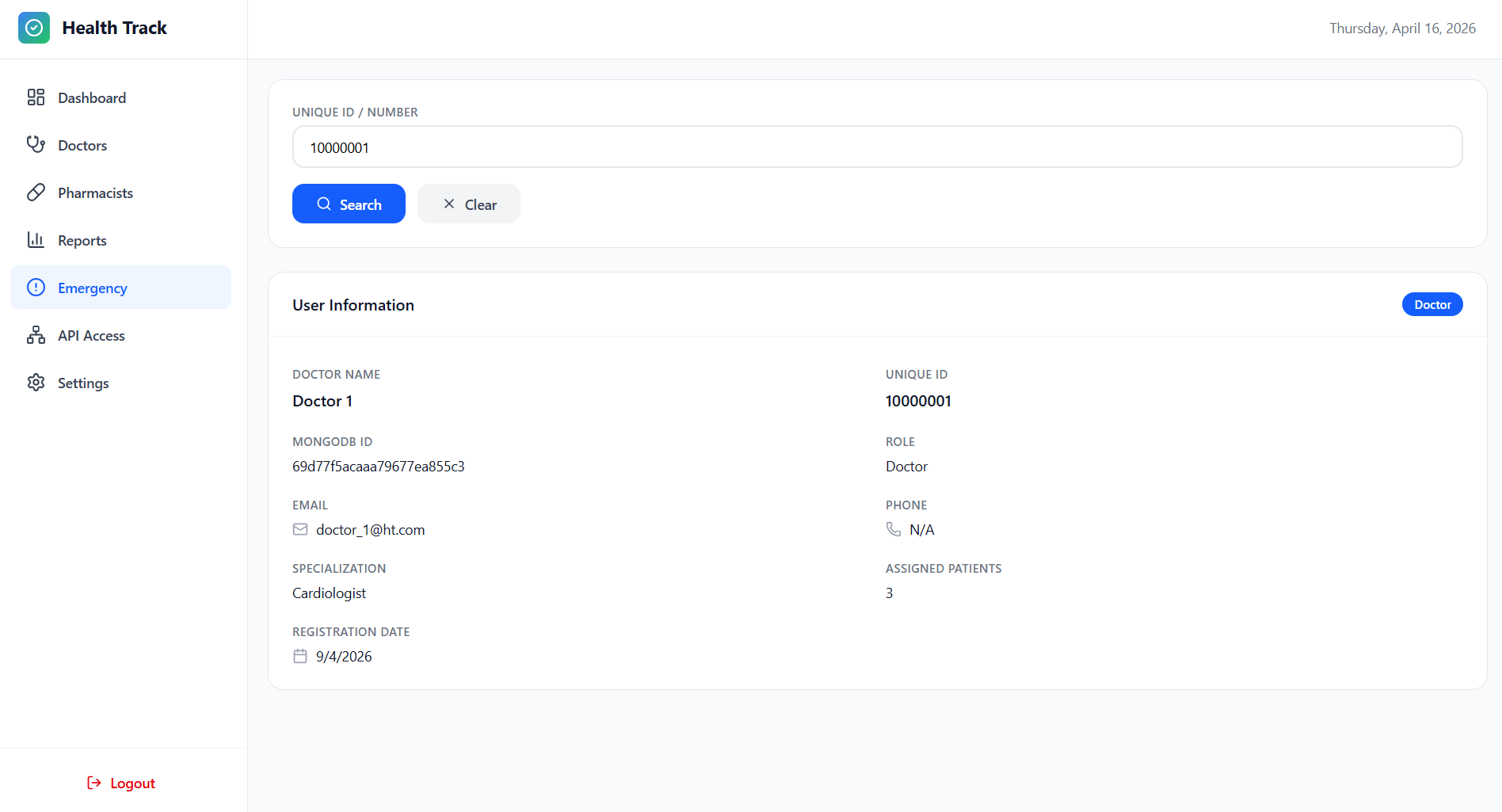
Emergency
API Access
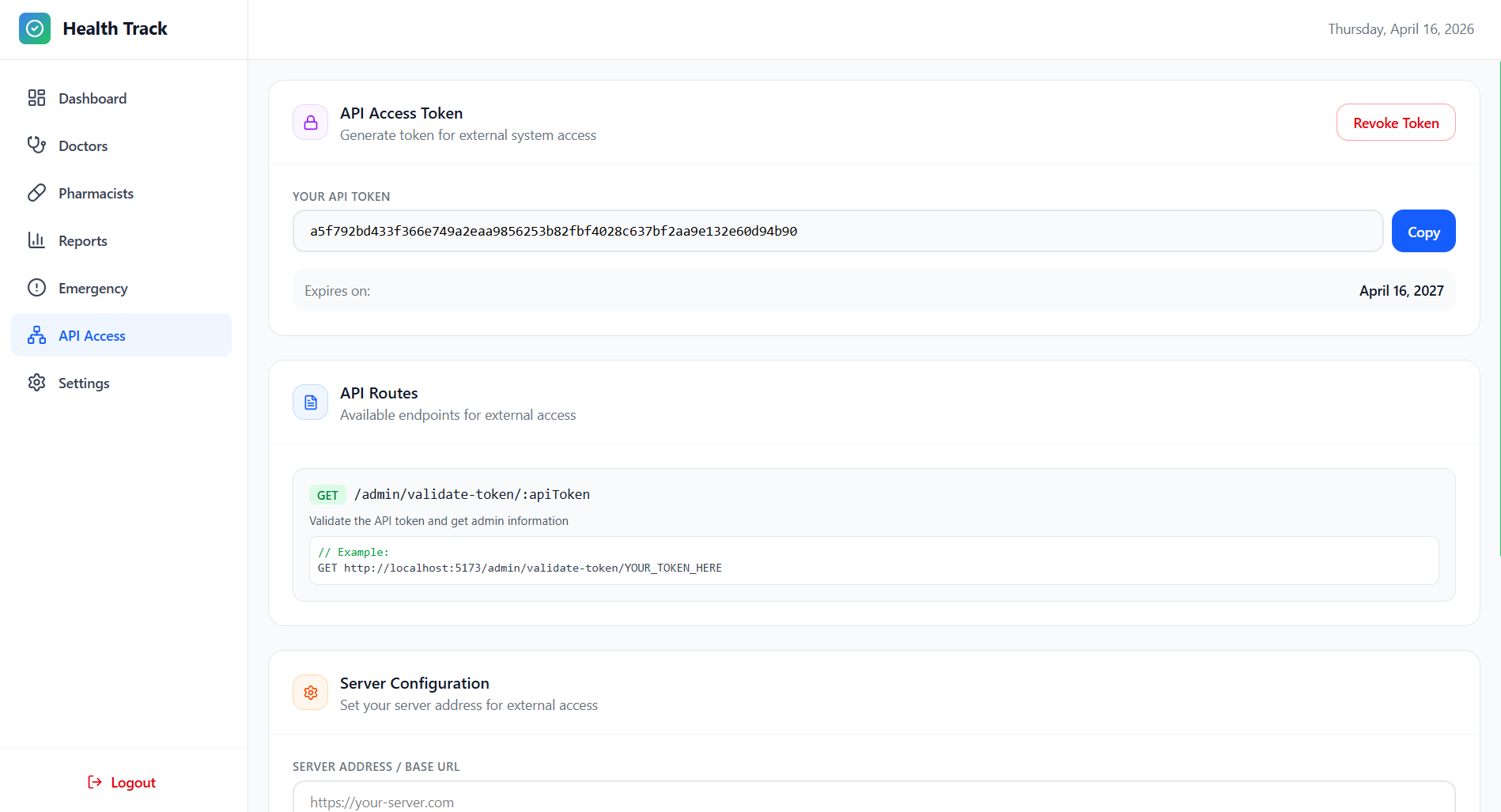
Settings
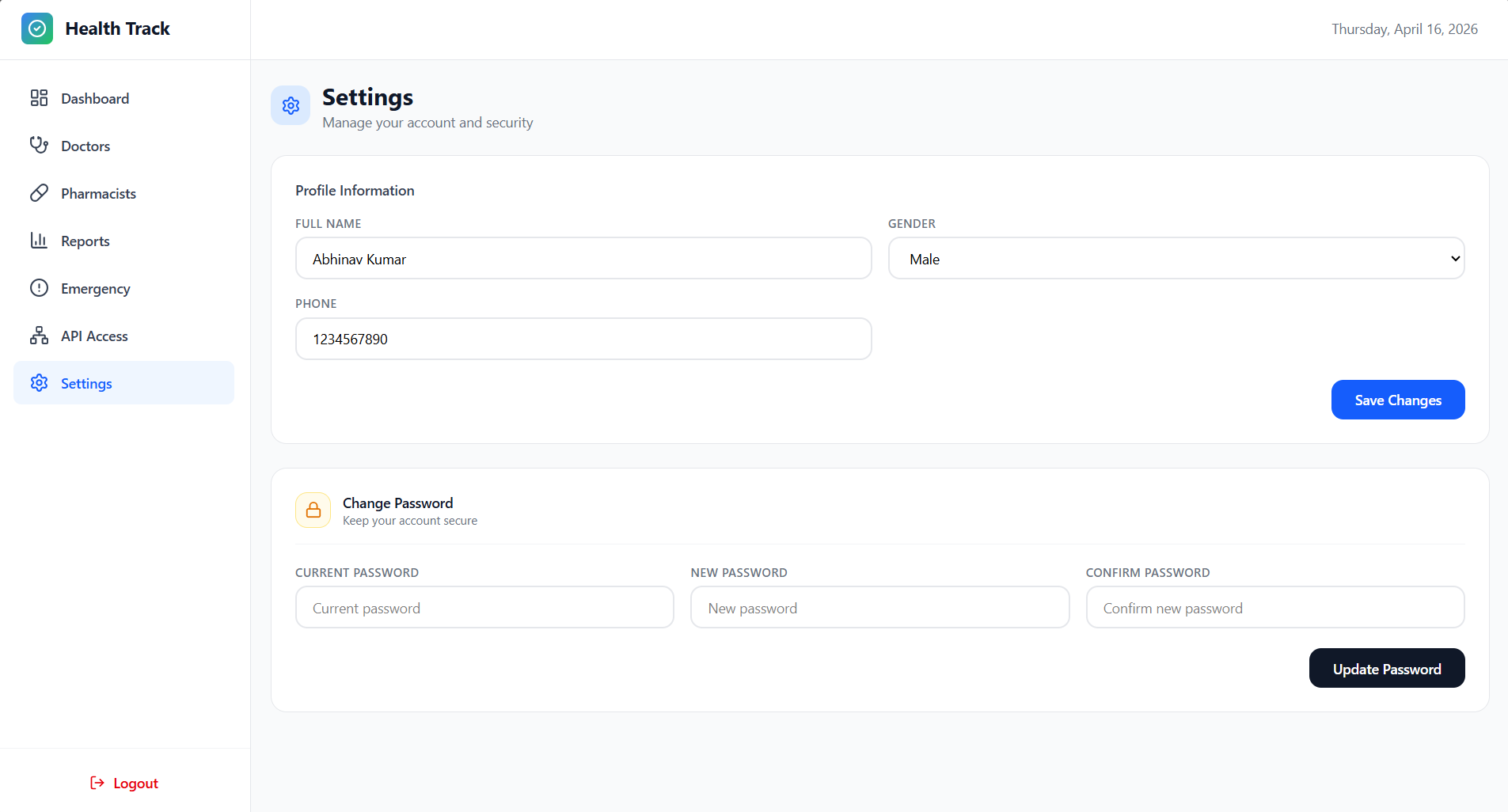
➡️ Doctor Dashboard
Dashboard Overview
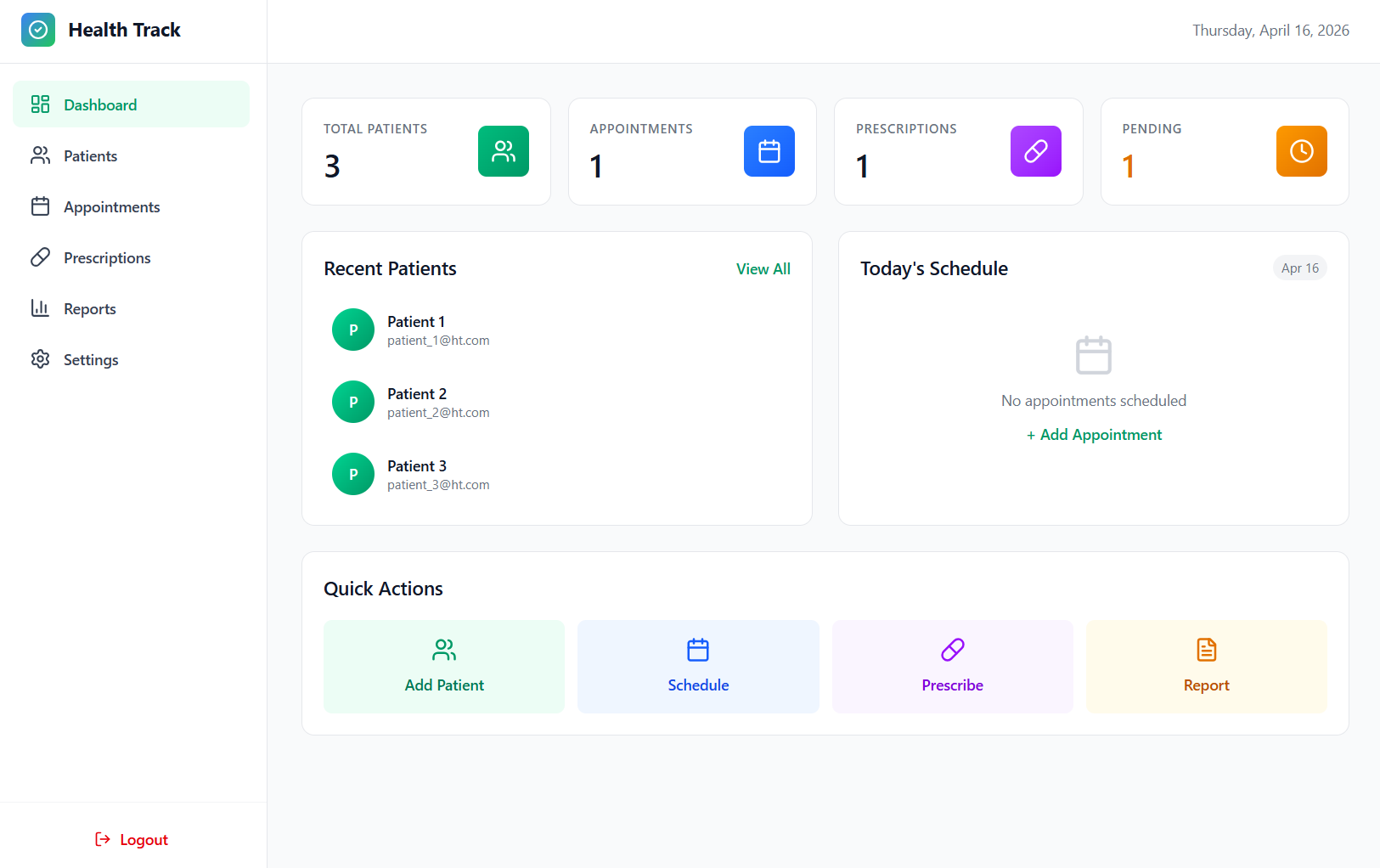
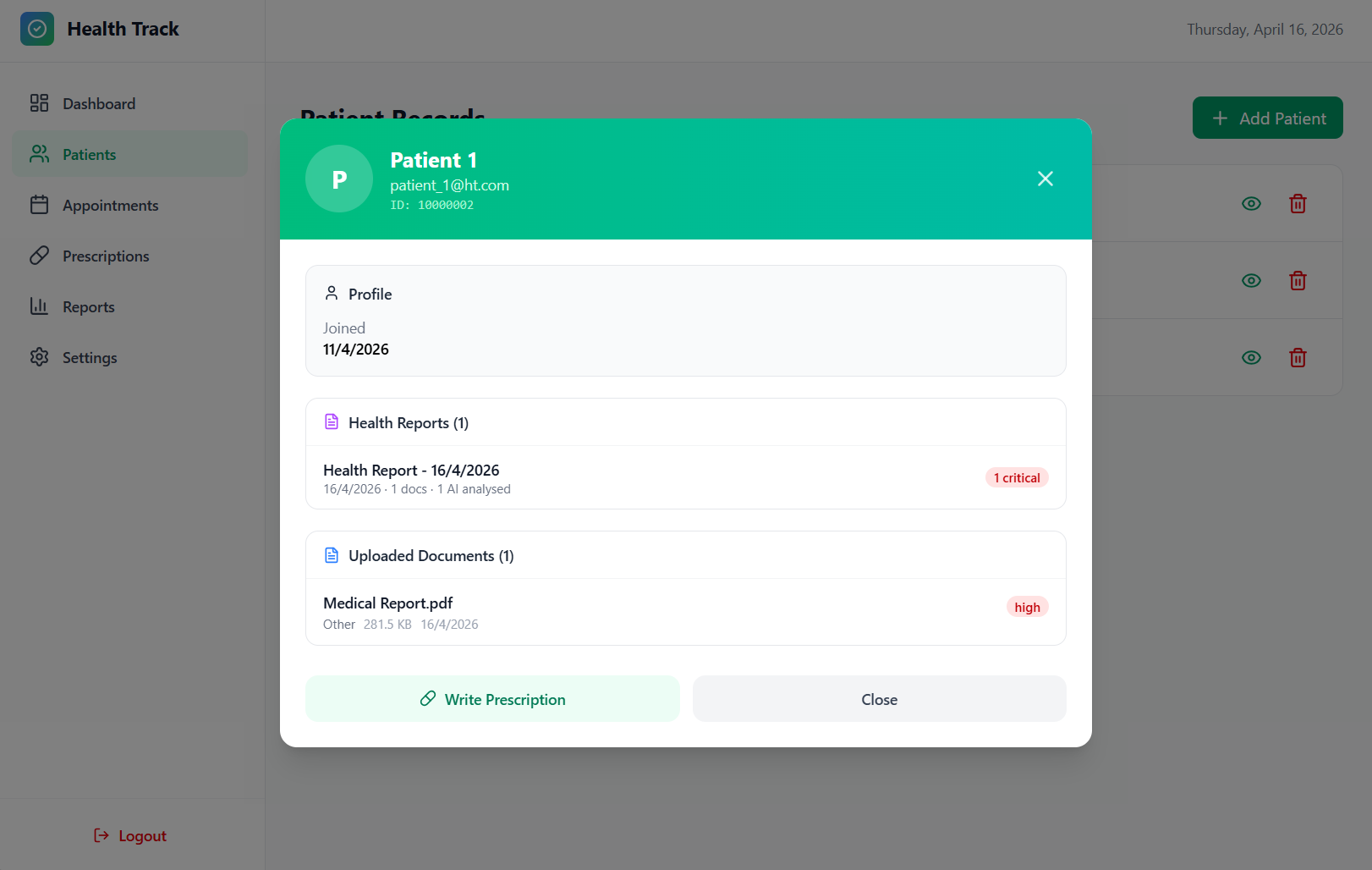
Patient Records
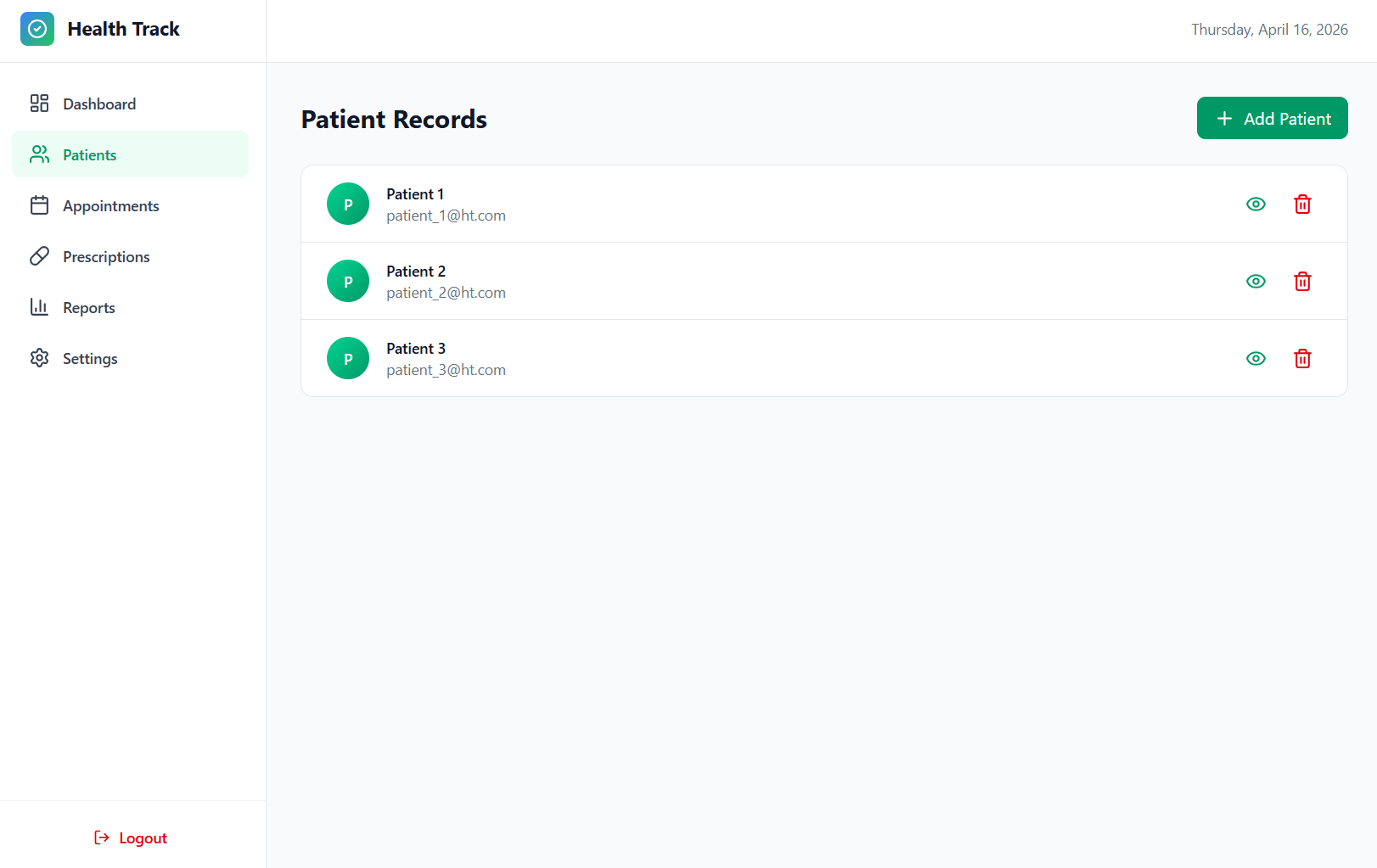
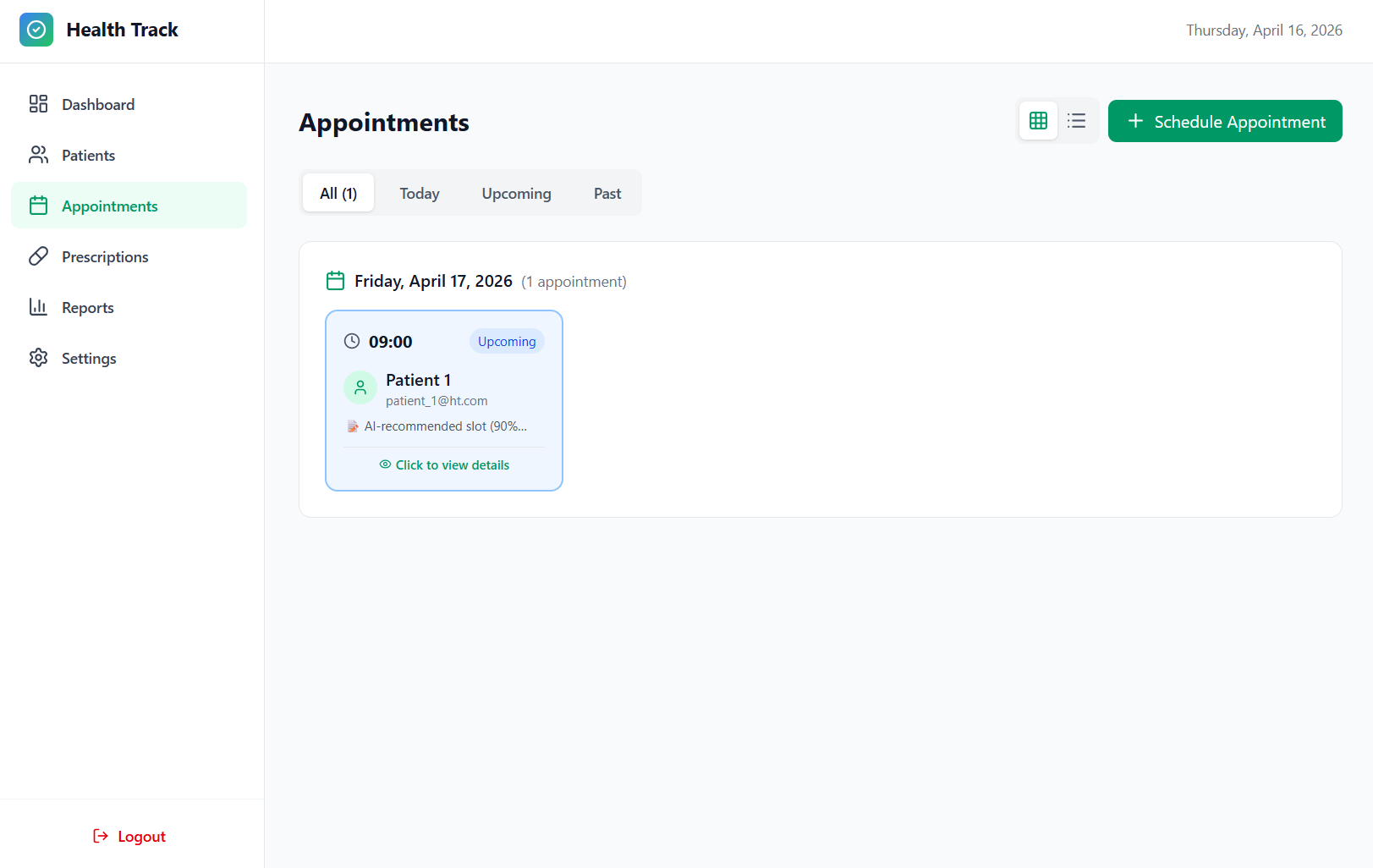
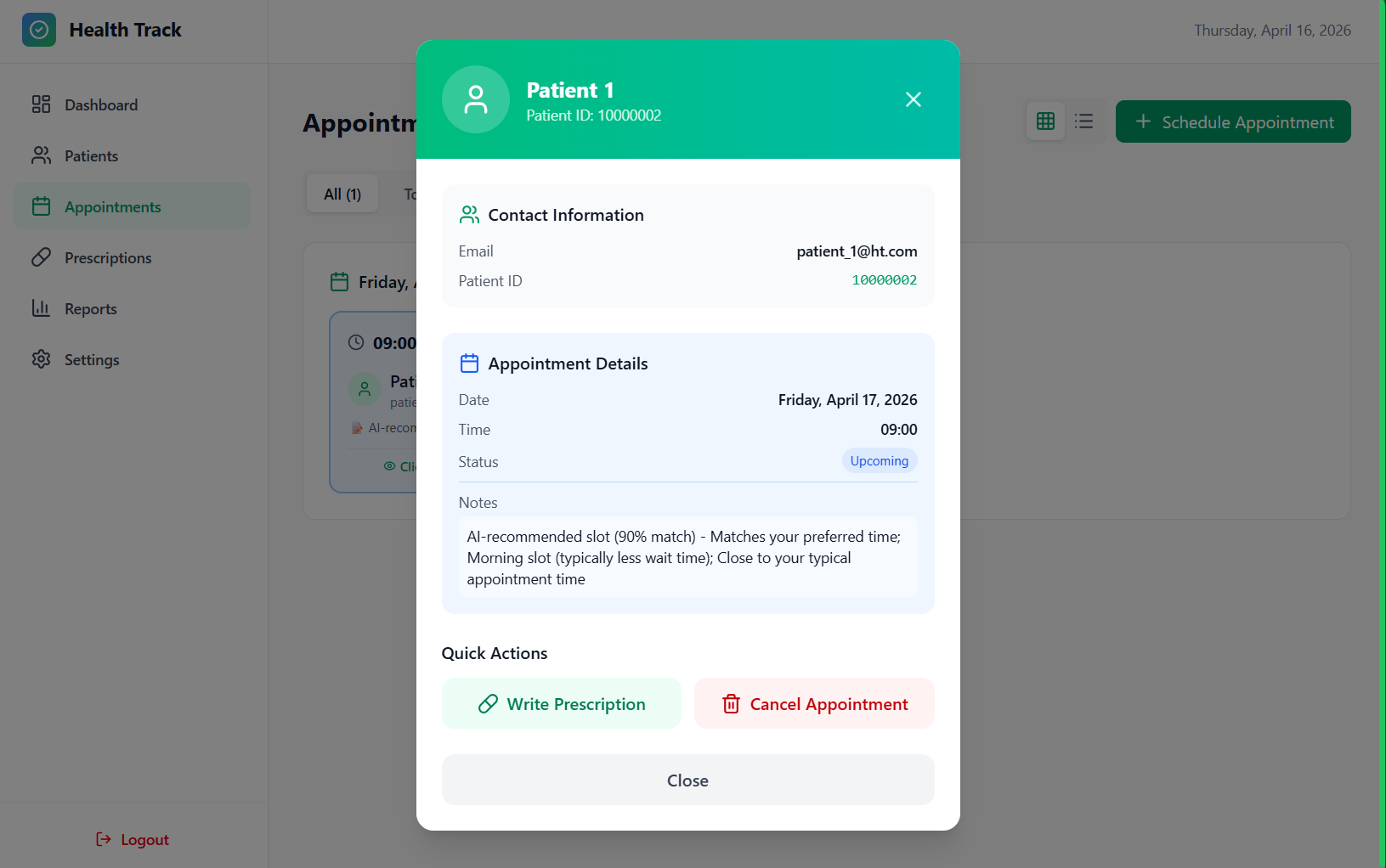
Appointments
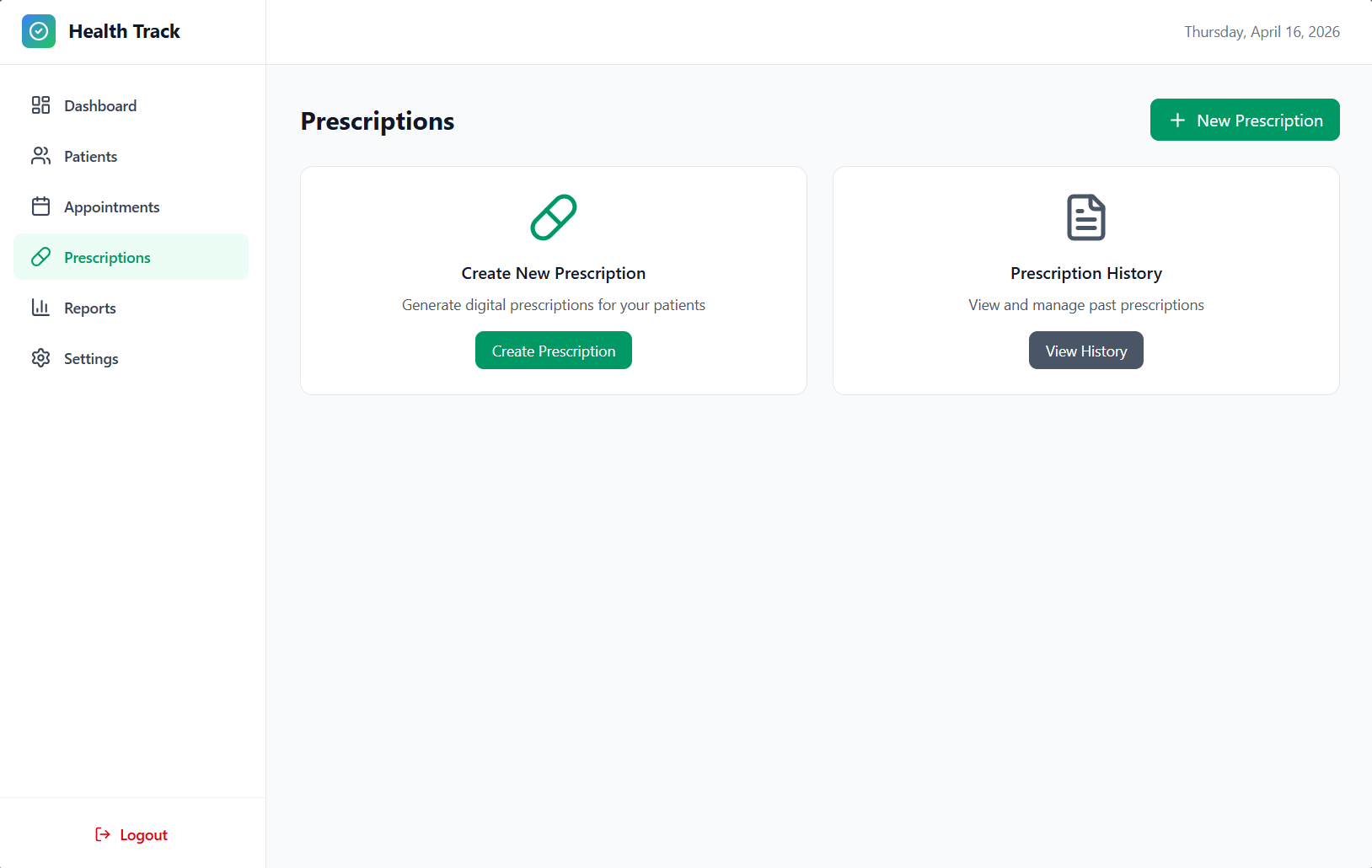
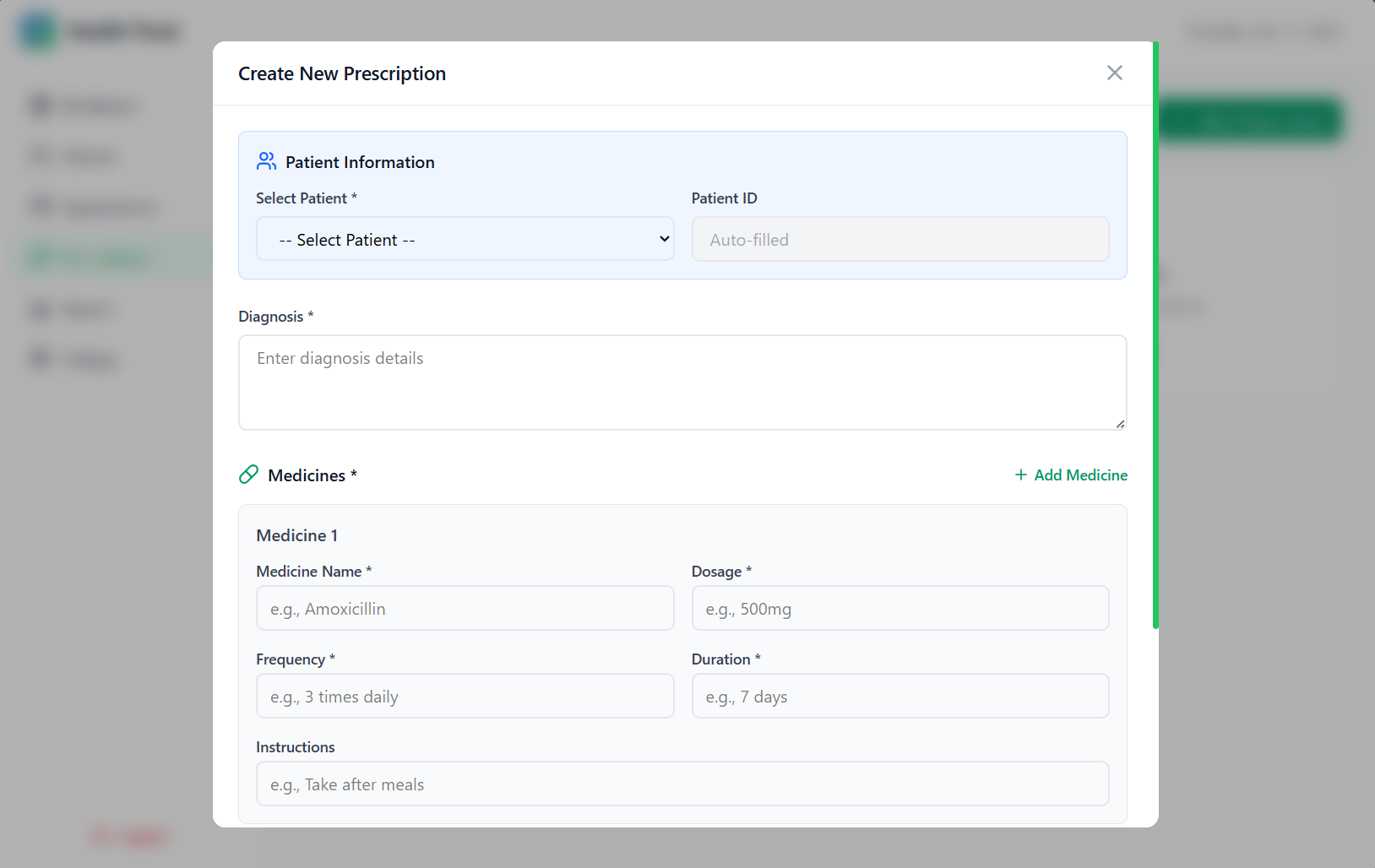
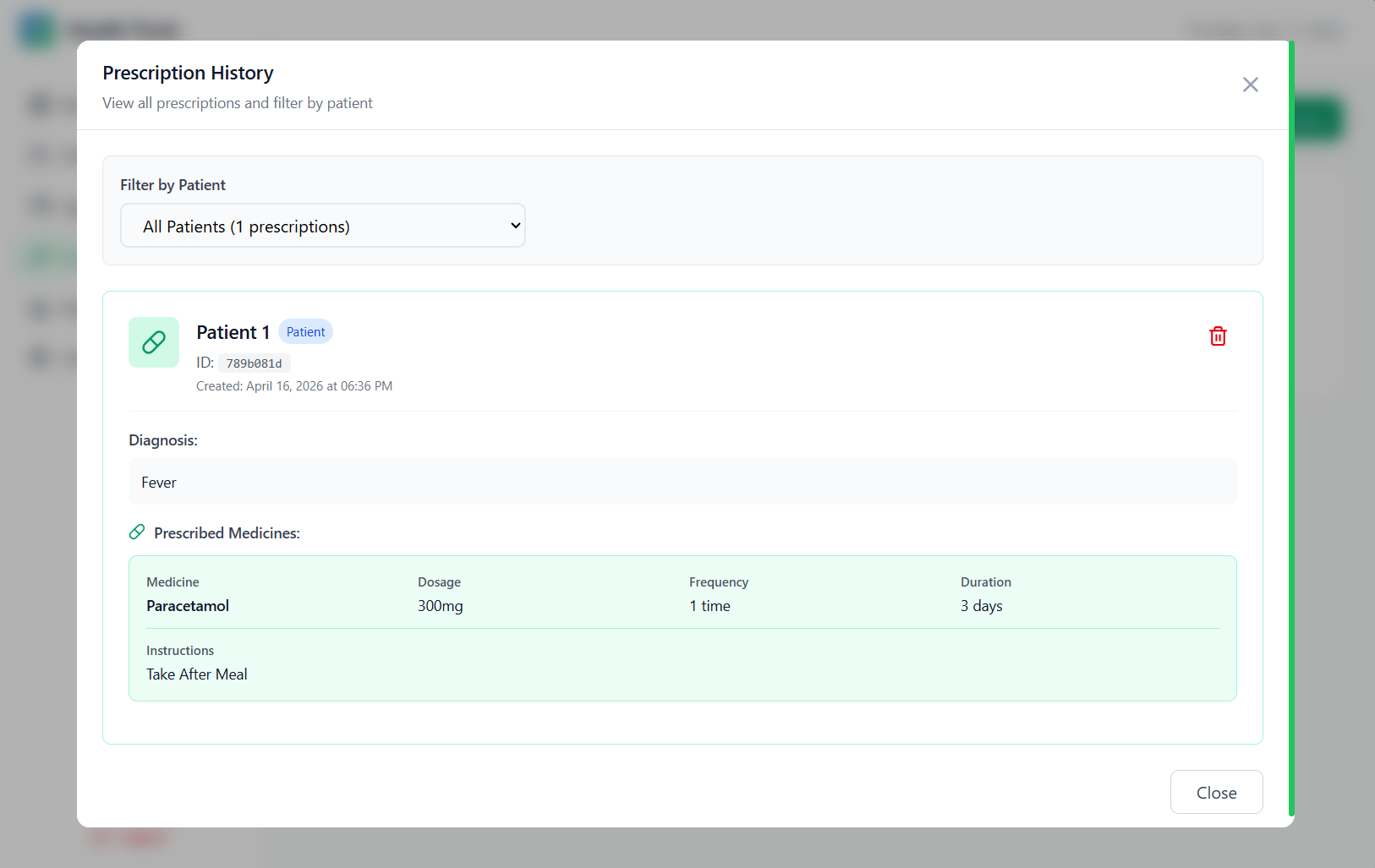
Prescriptions
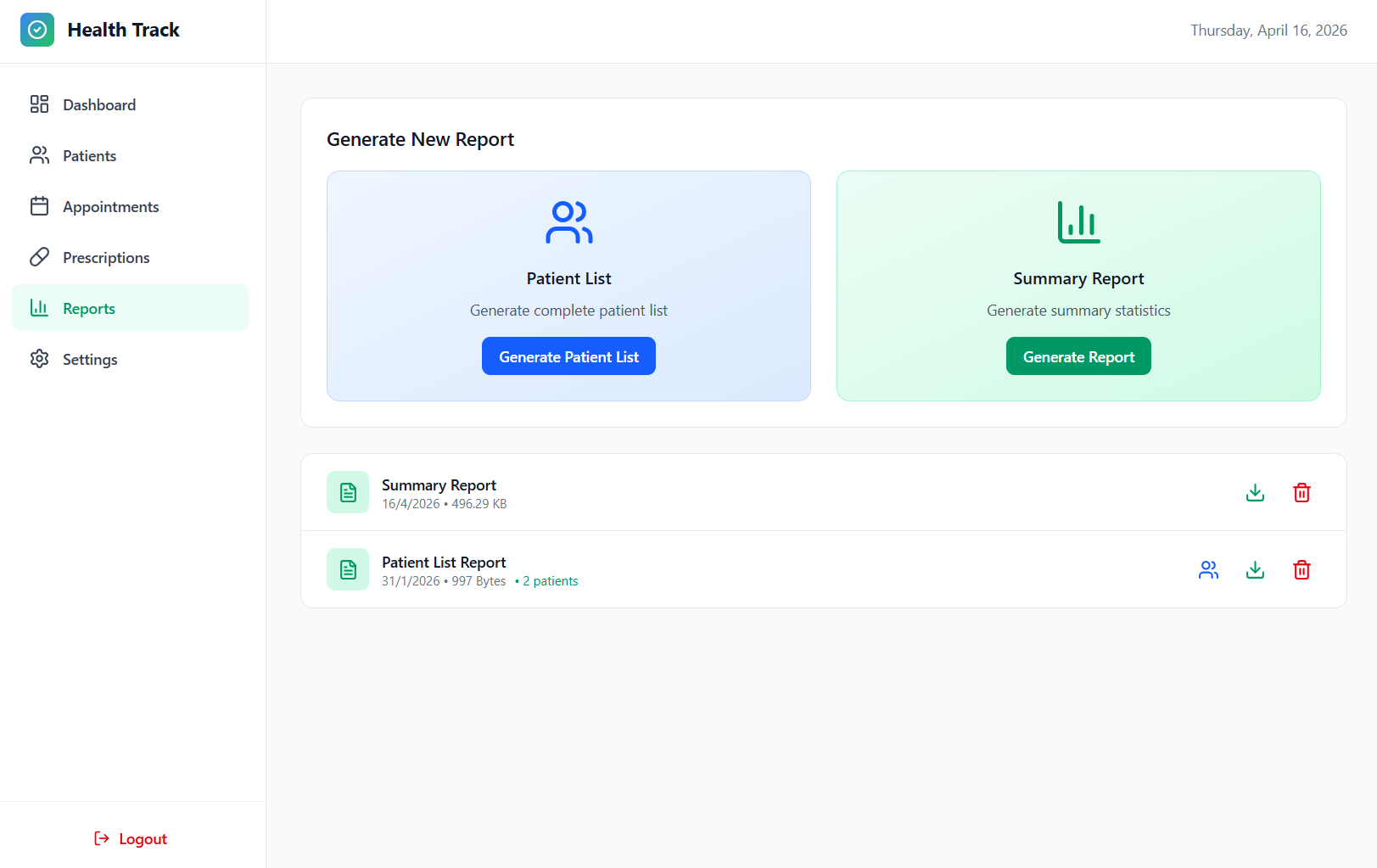
Reports
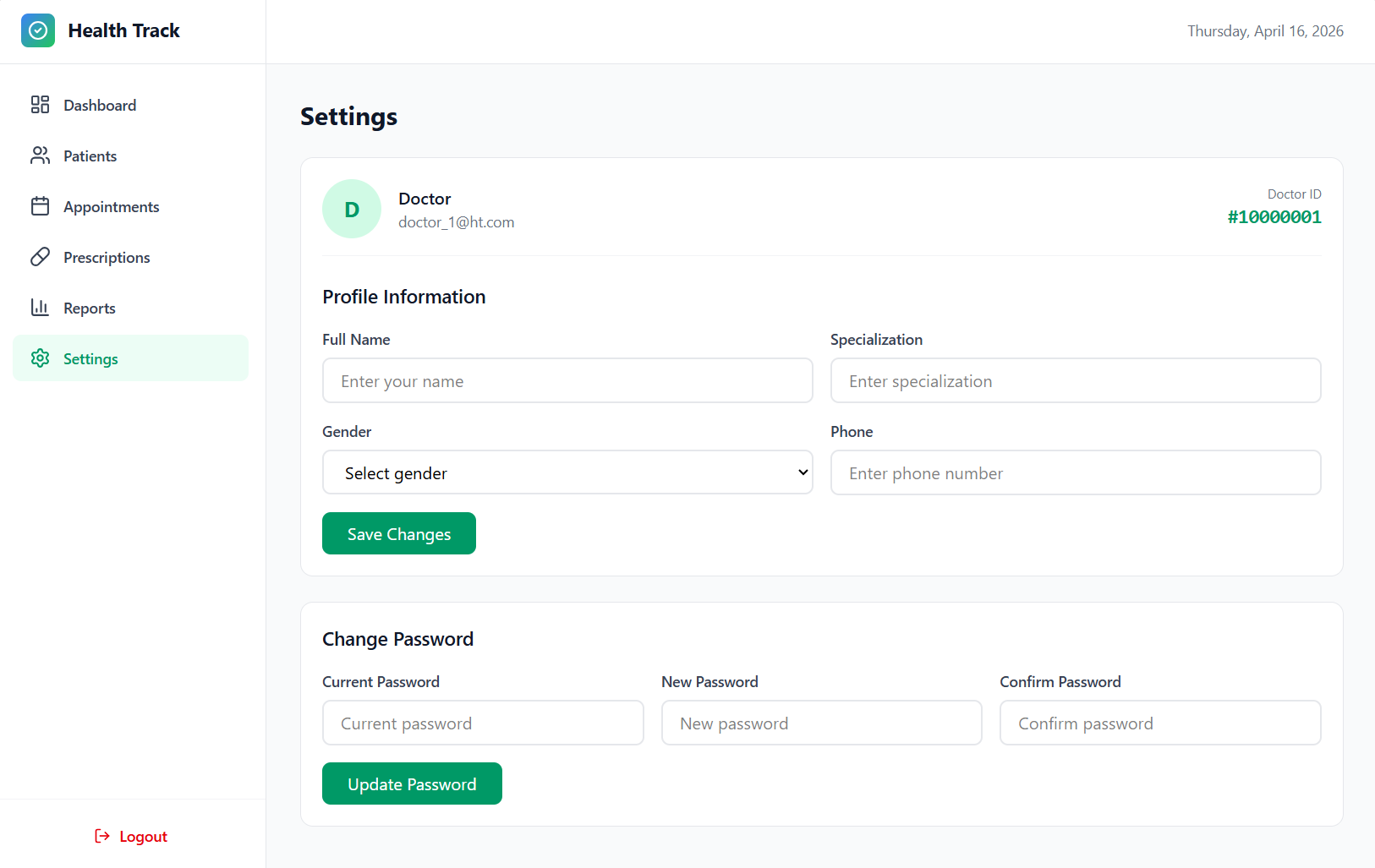
Settings
➡️ Patient Dashboard
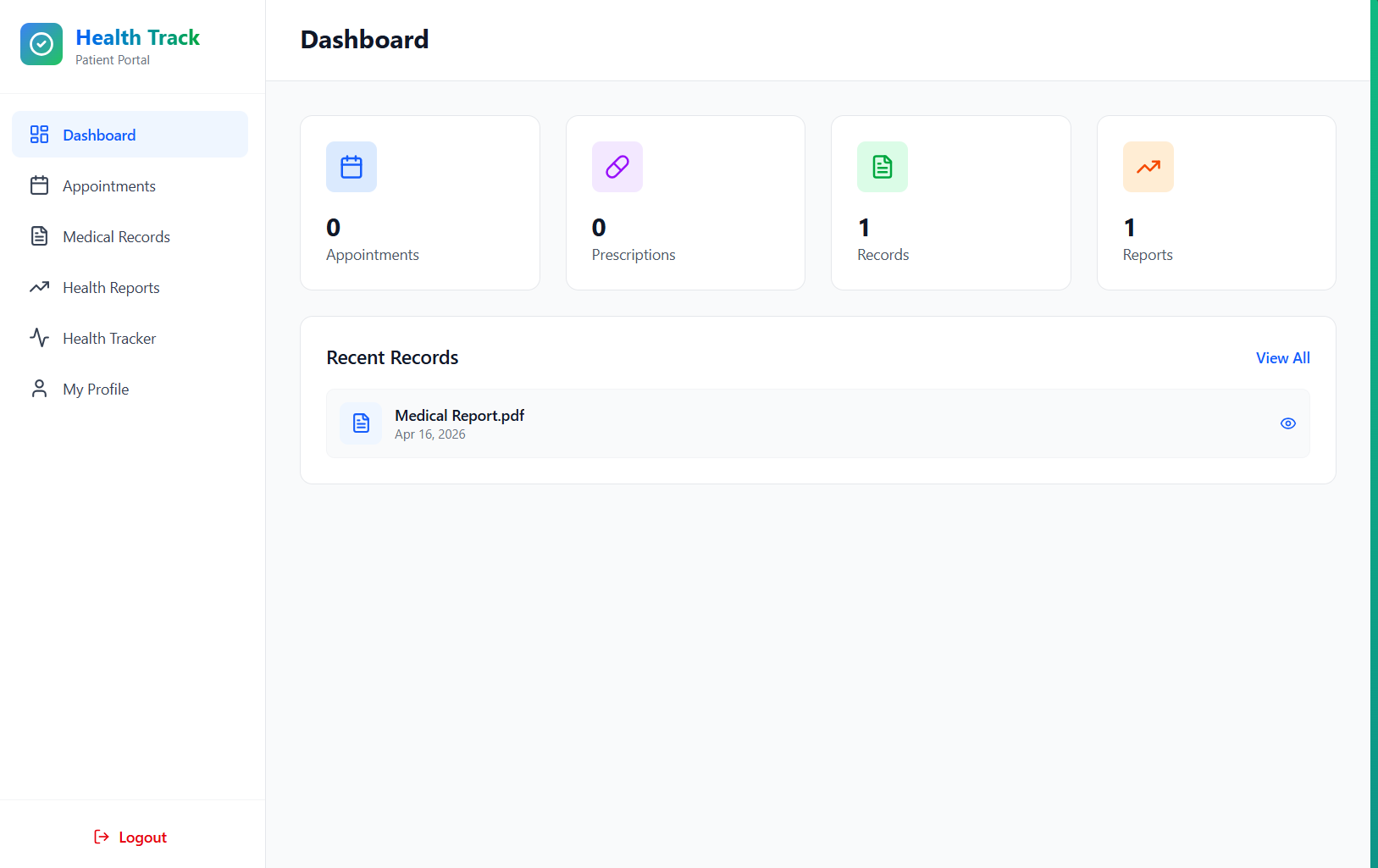
Dashboard Overview
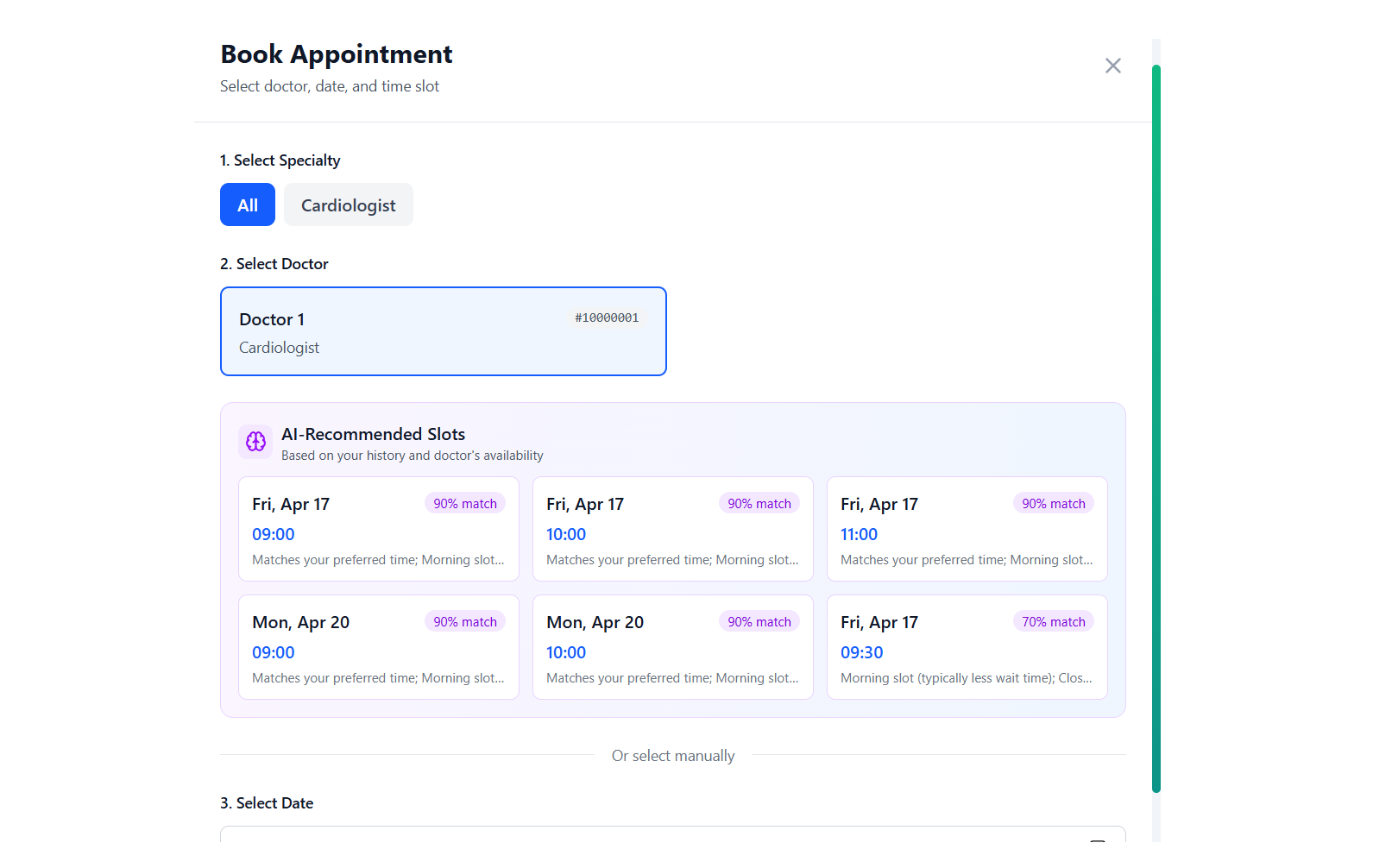
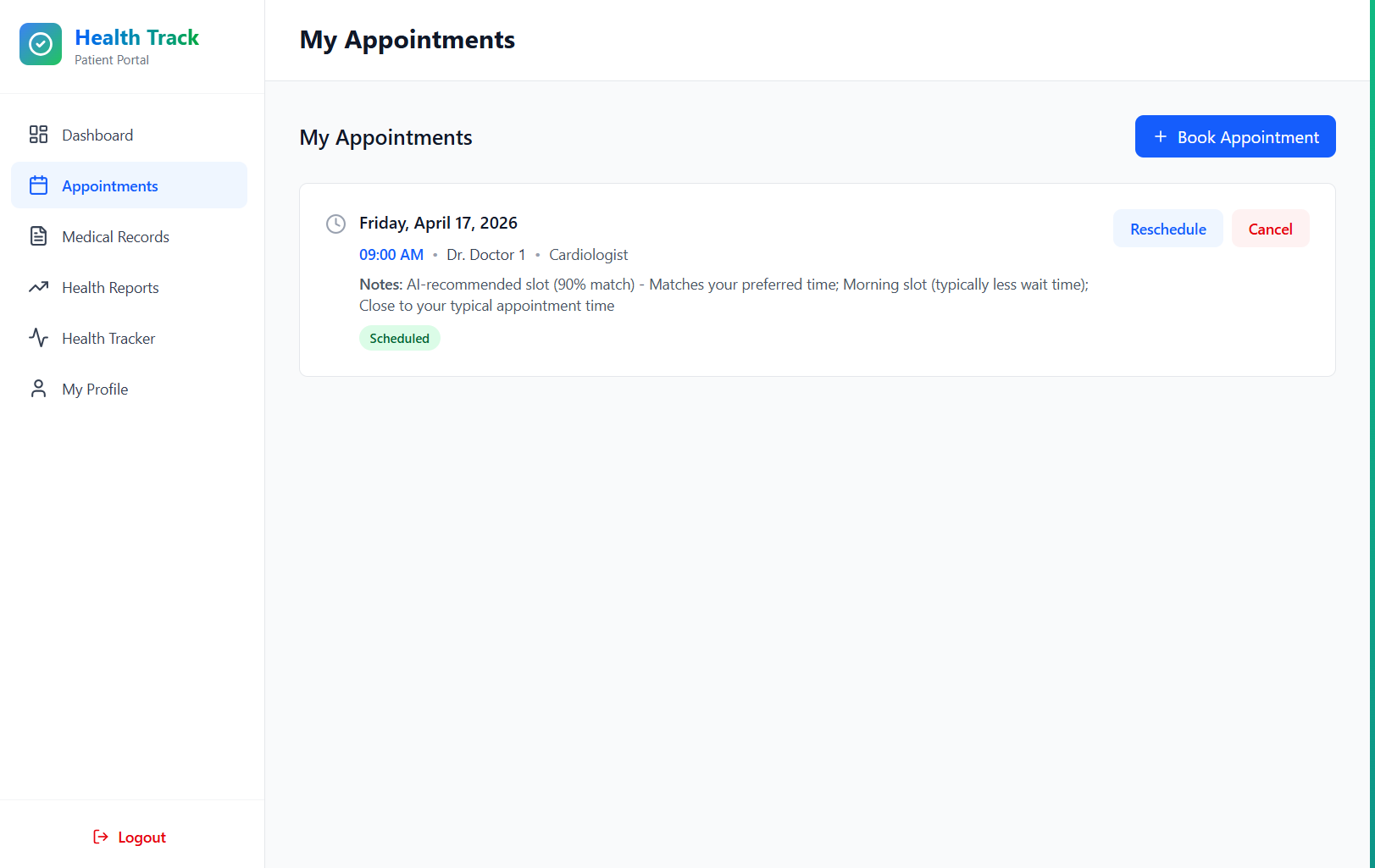
Appointment Booking
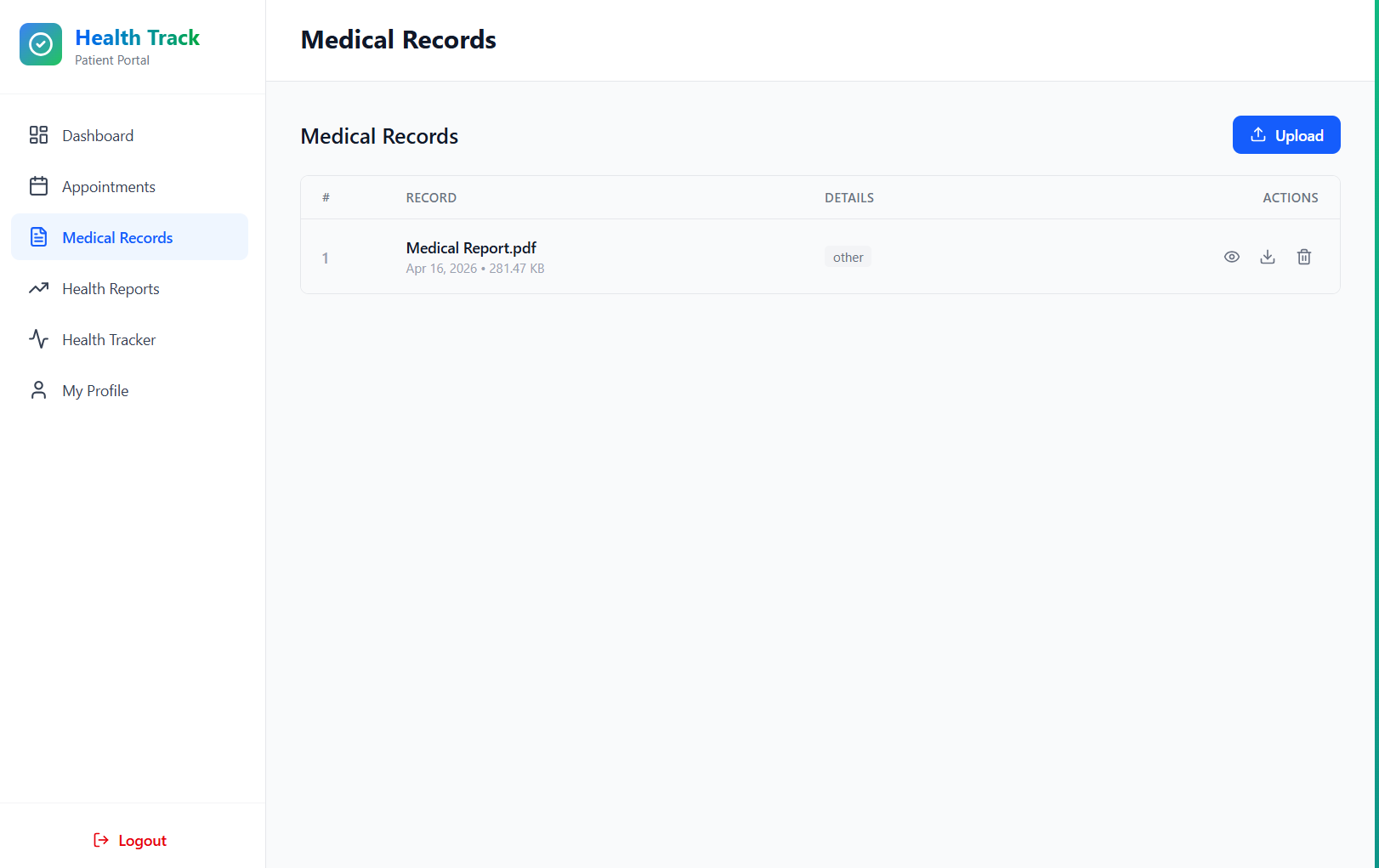
Medical Records
Health Reports
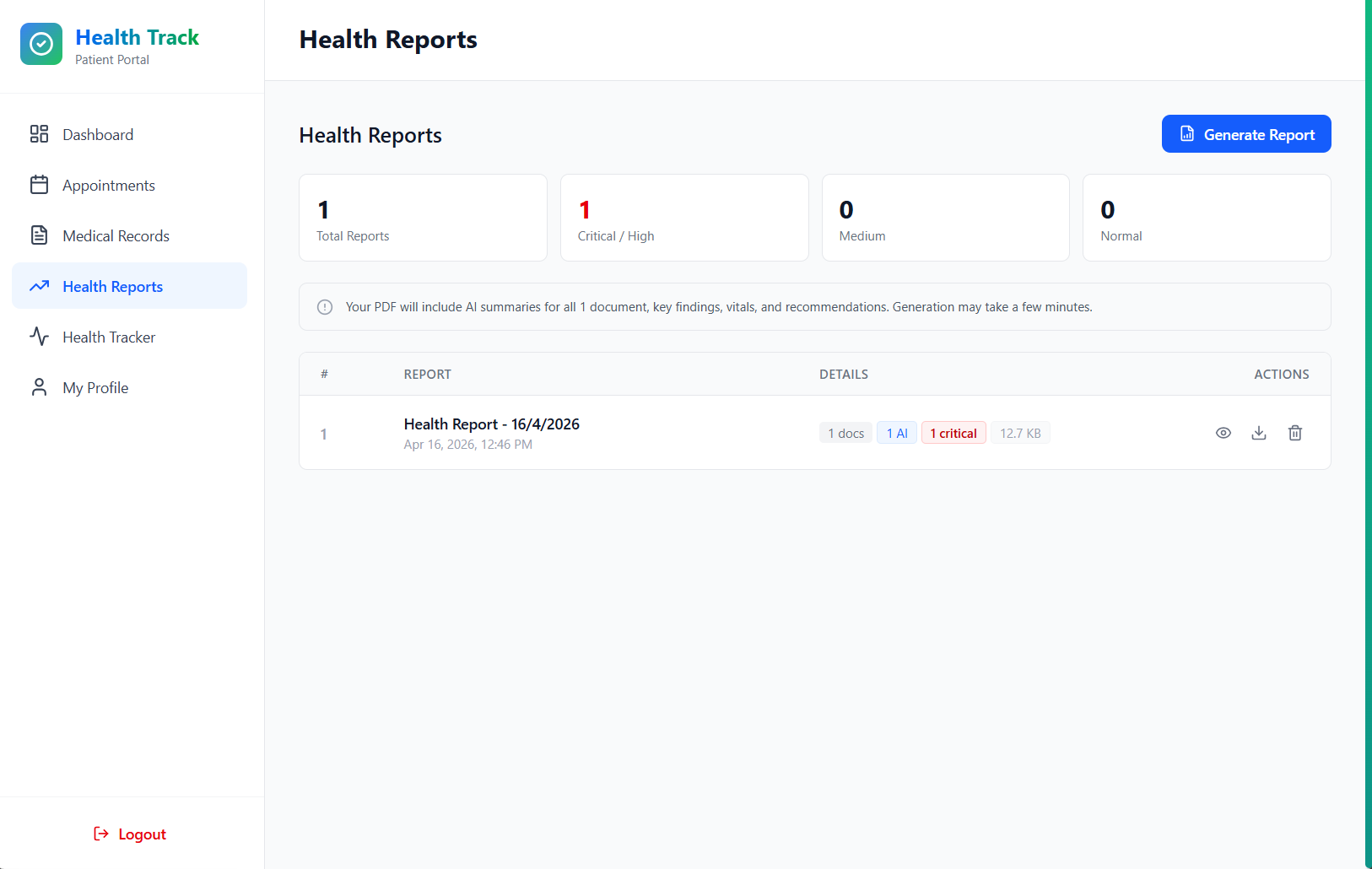
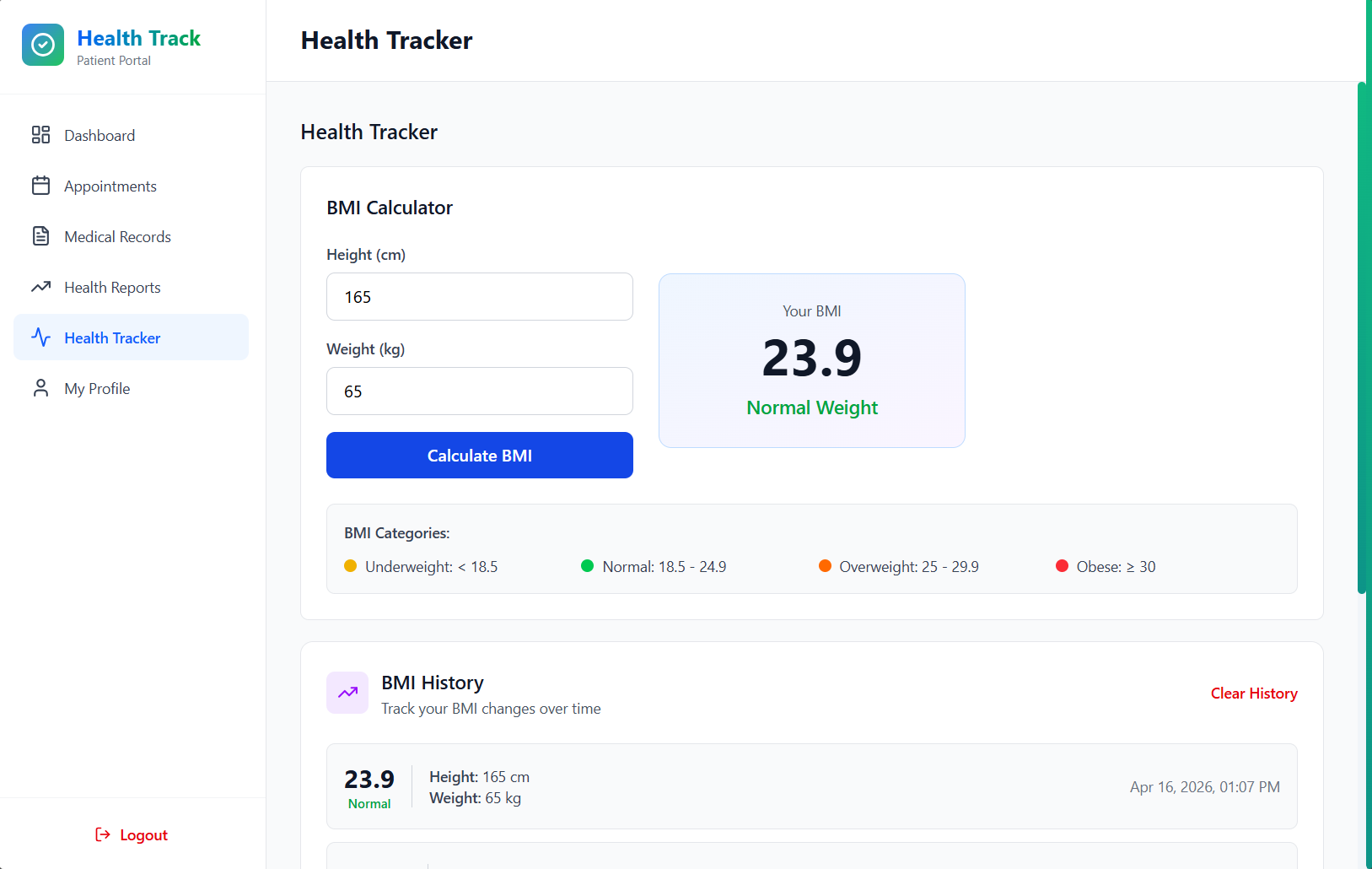
Generated PDF Report
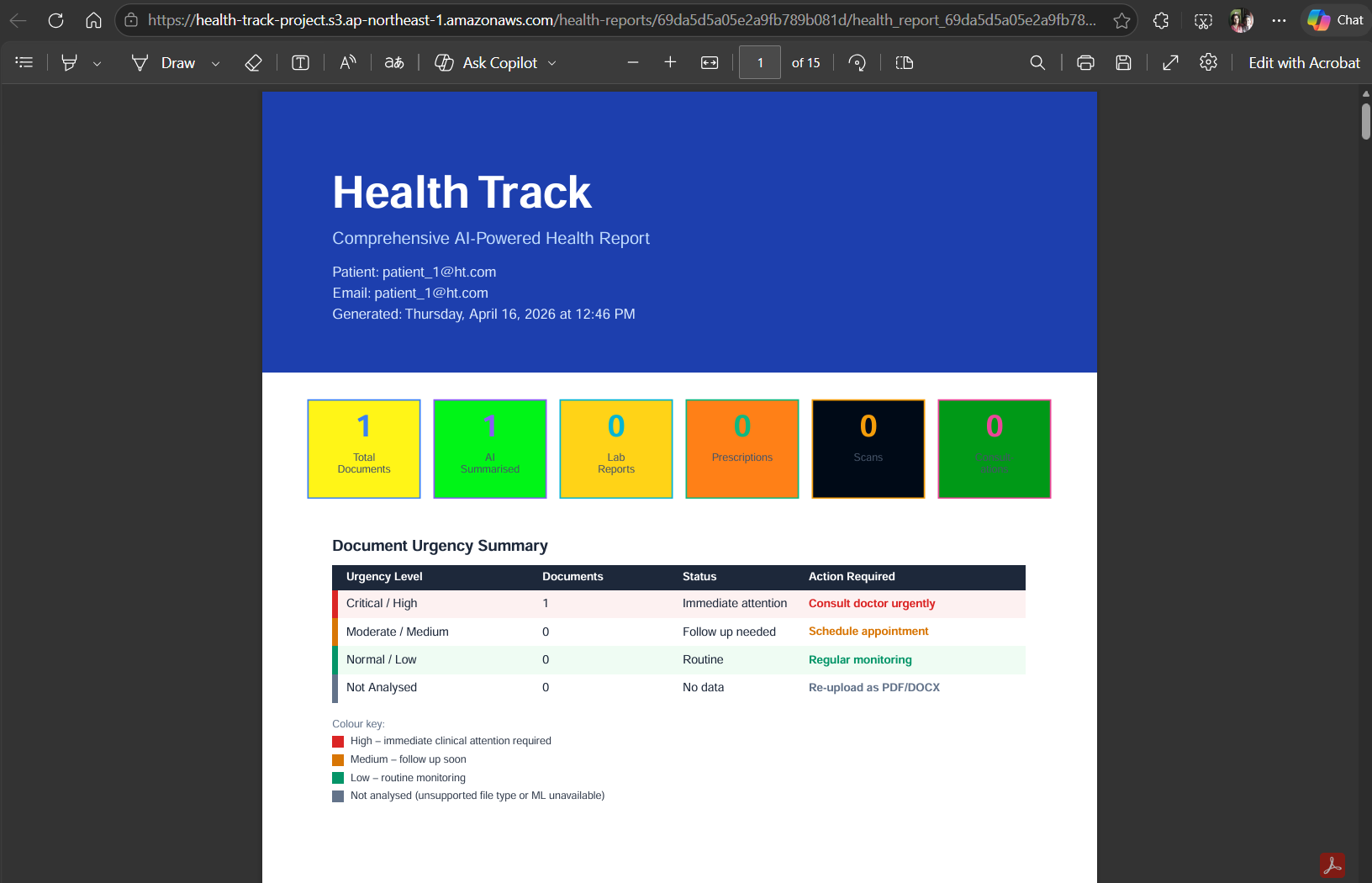
Health Tracker
My Profile

➡️ Pharmacist Dashboard
Overview
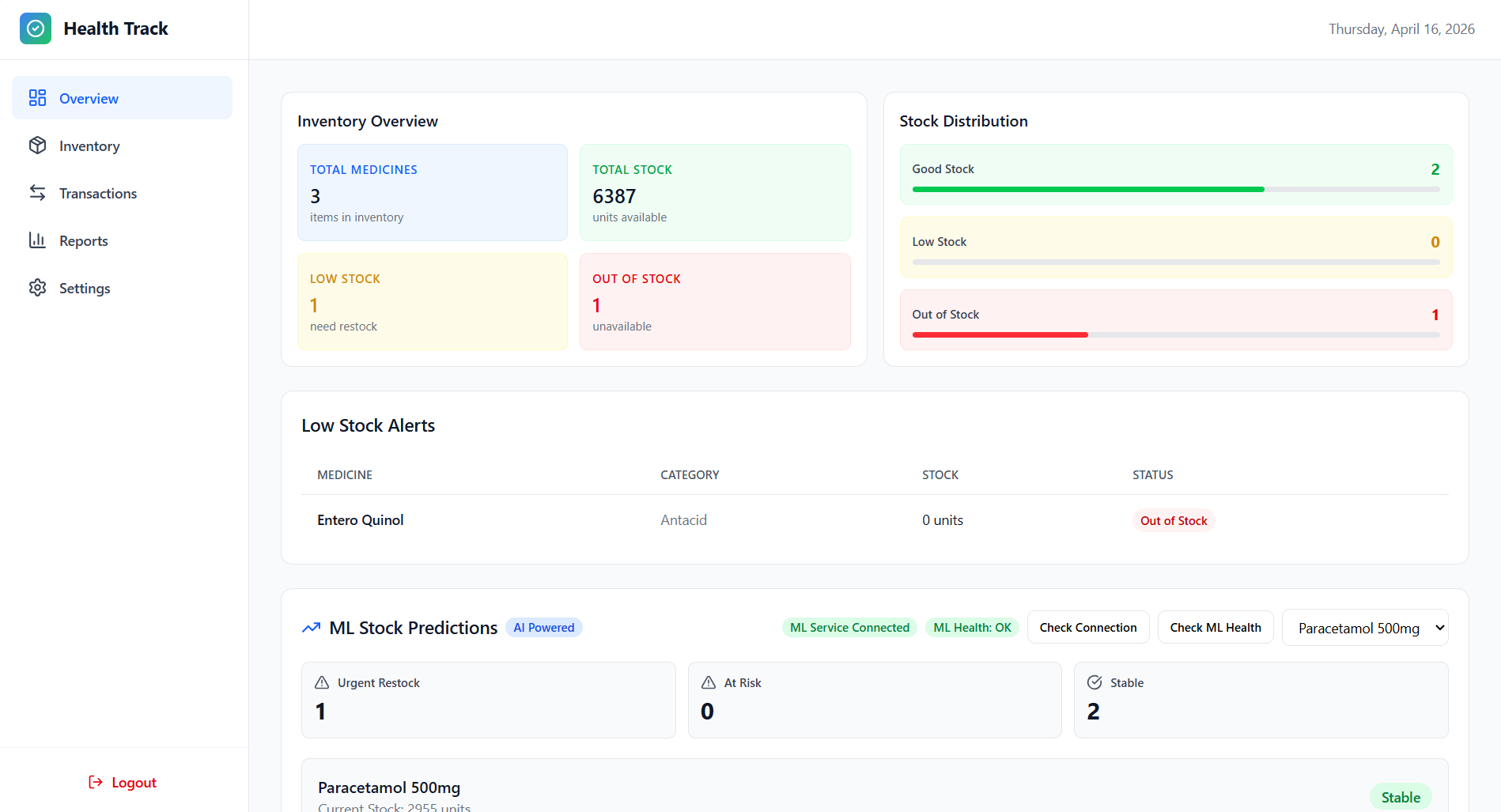
Inventory
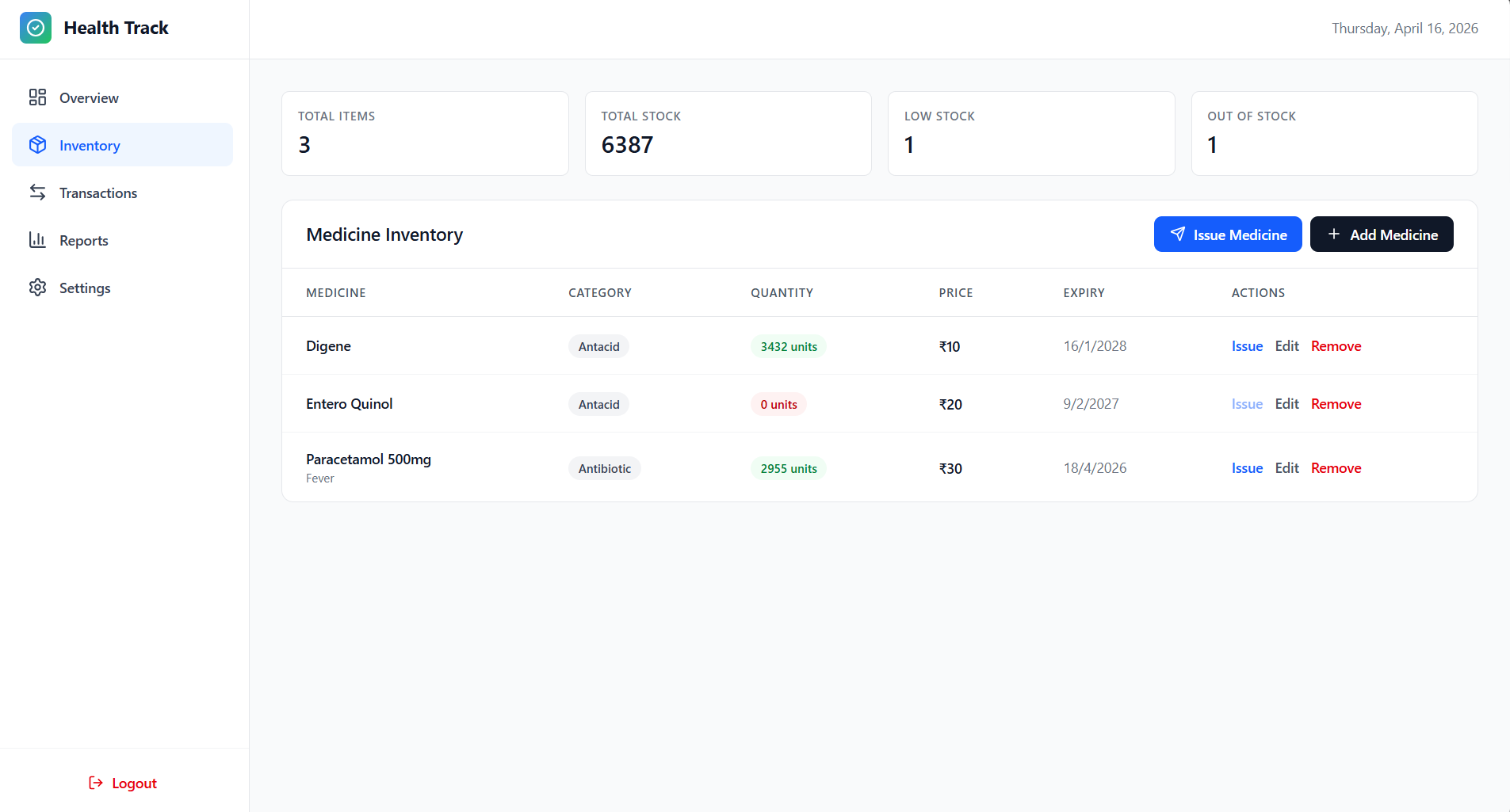
Transactions
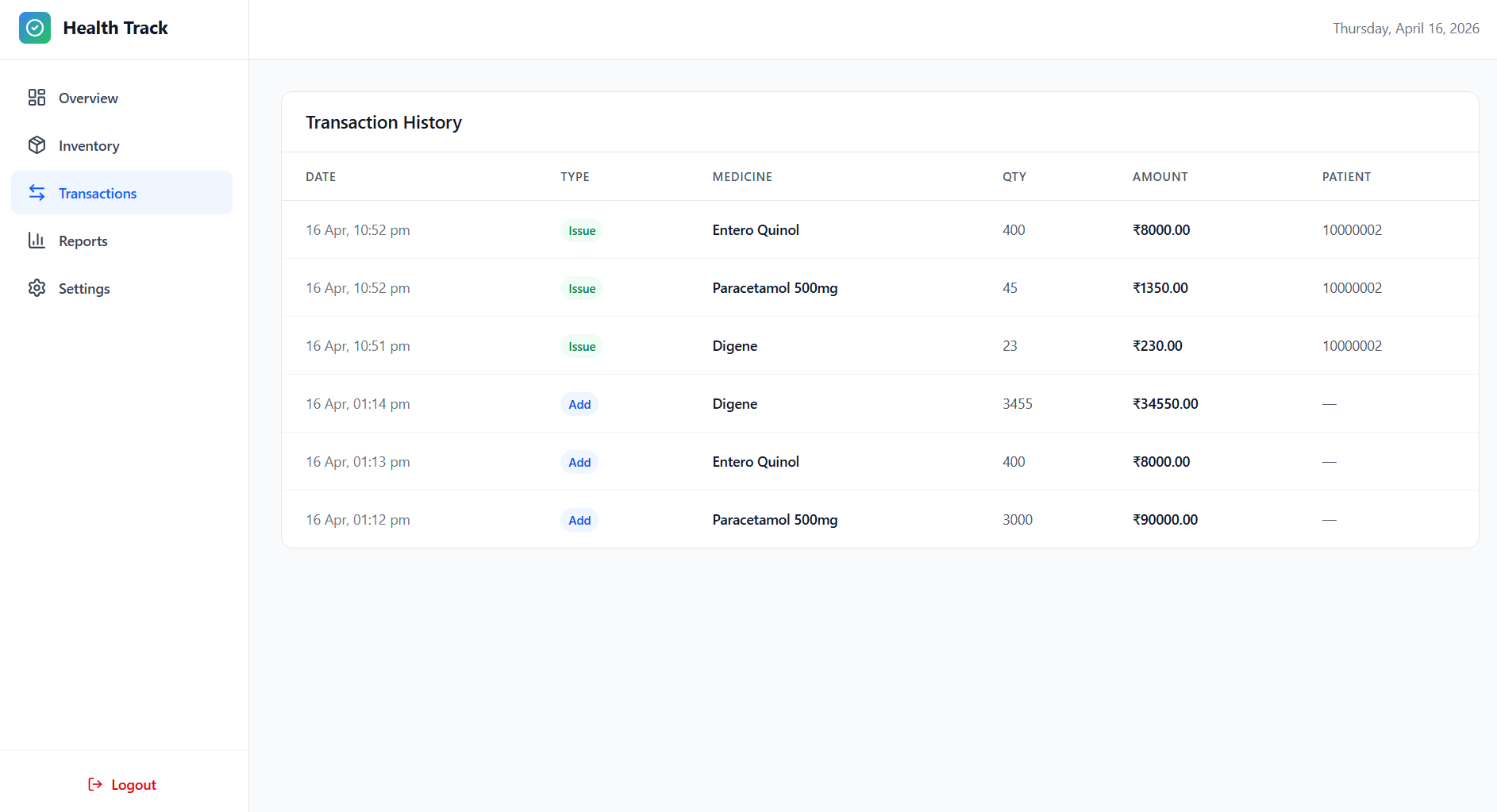
Reports
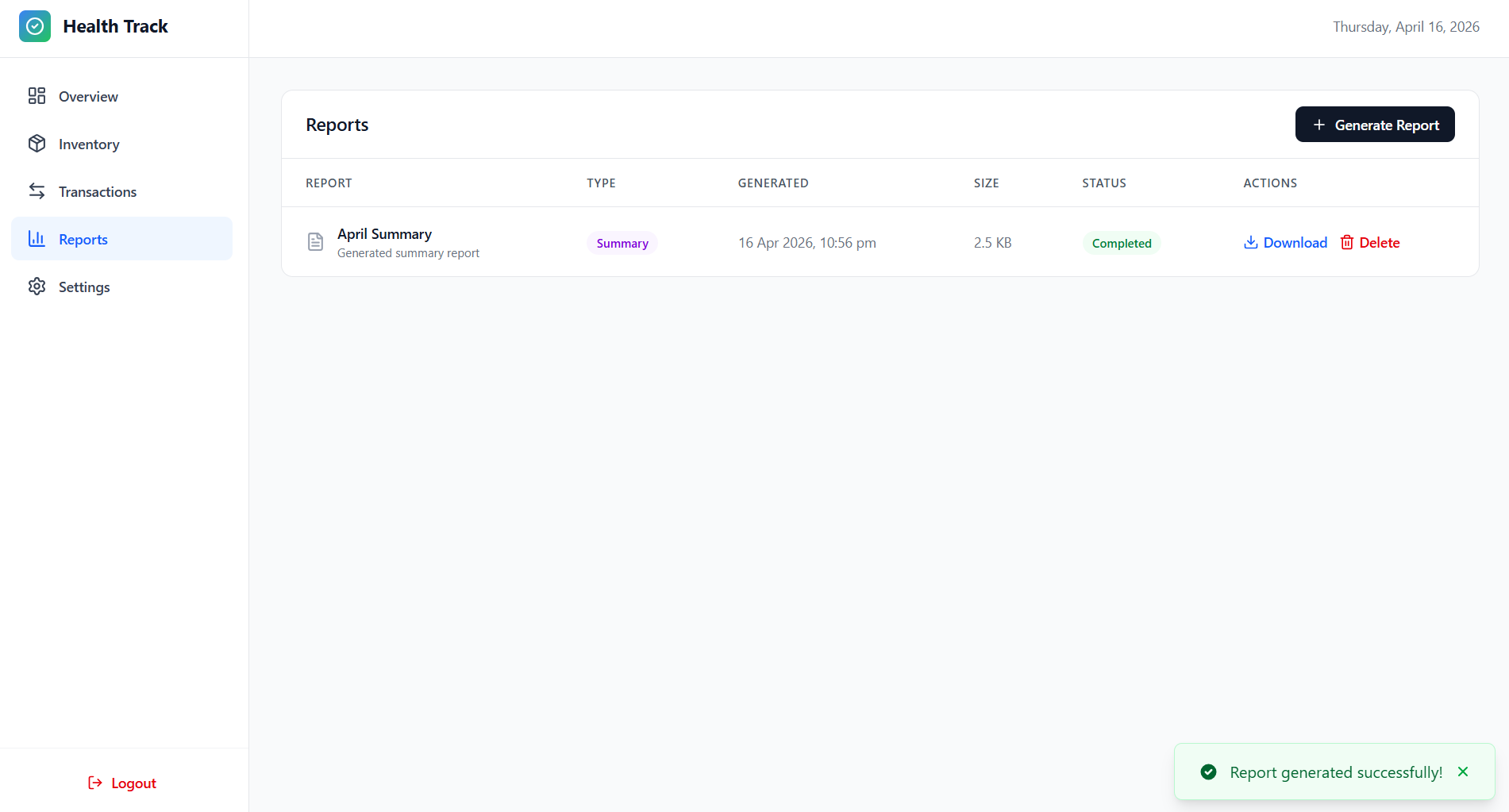
Settings
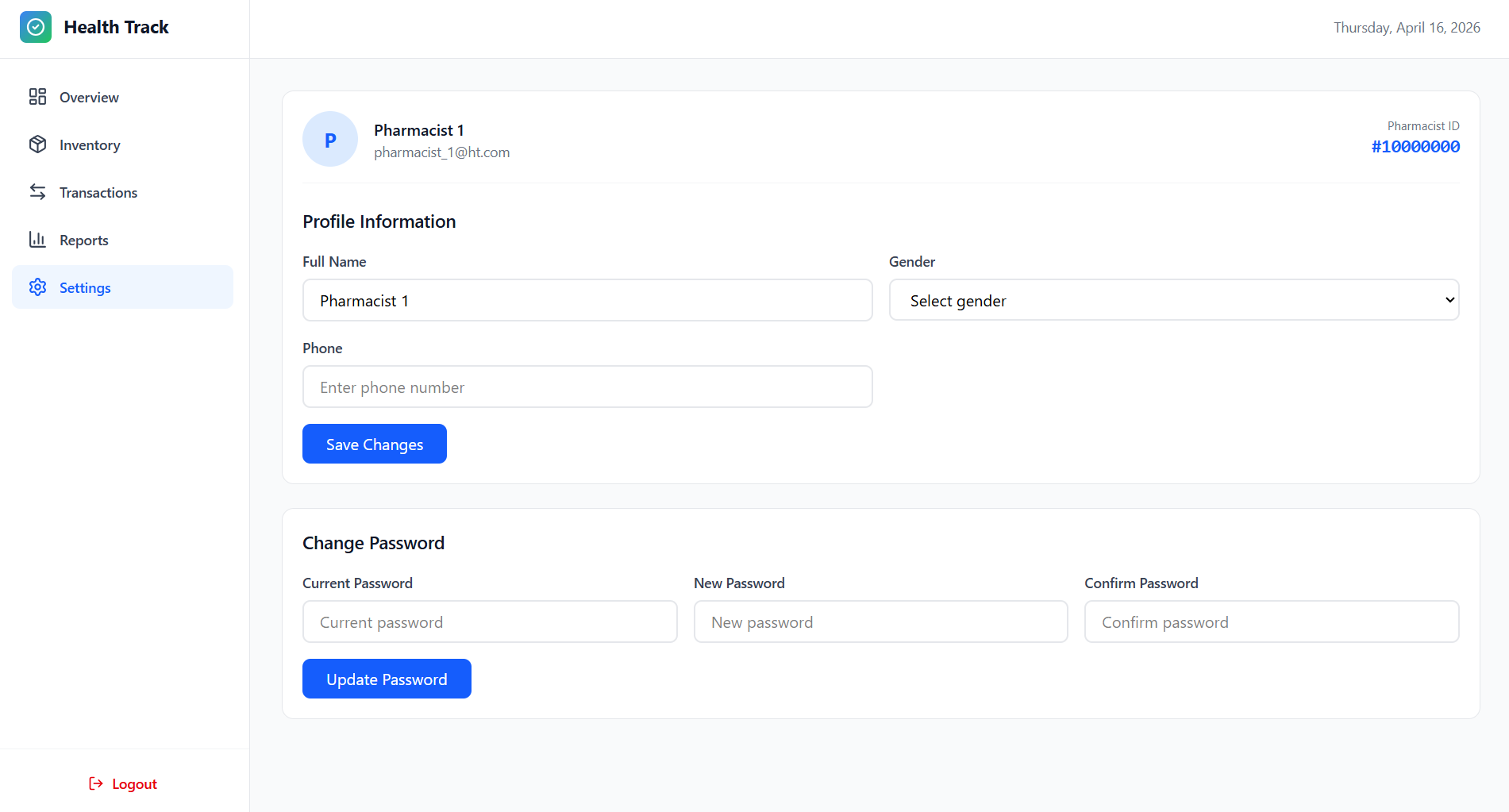
➡️ Features
- Core Platform: Secure authentication, role-based dashboards, EHR management, analytics, AI/ML integration, and cloud-backed storage.
- Admin Module: Complete user management, operational analytics, emergency access workflows, interoperability token management, and audit visibility.
- Doctor Module: Assigned patient management, detailed record access, document review, and profile maintenance.
- Pharmacist Module: Medicine inventory control, dispensing workflow, transaction auditing, PDF reporting, and stock monitoring.
- Patient Module: Secure document lifecycle management, categorized health records, AI-assisted summarization, and controlled file access.
➡️ Technologies Used
Frontend
| Technology | Purpose |
|---|---|
| React.js 19 | Modern JavaScript library for building component-based user interfaces with hooks and state management |
| React Router 7 | Declarative routing for React applications, enabling single-page navigation and protected routes |
| Tailwind CSS 4 | Utility-first CSS framework for rapid UI development with responsive design patterns |
| Axios | Promise-based HTTP client for making API requests with interceptors and error handling |
| Lucide React | Open-source icon library providing 1000+ consistent SVG icons as React components |
| Vite | Next-generation frontend build tool with lightning-fast HMR and optimized production builds |
Backend
| Technology | Purpose |
|---|---|
| Node.js | JavaScript runtime built on Chrome’s V8 engine for scalable server-side applications |
| Express.js | Minimal and flexible Node.js web framework for building REST APIs and web applications |
| MongoDB | NoSQL document database for flexible, schema-less data storage with high performance |
| Mongoose | Elegant MongoDB object modeling (ODM) with schema validation, middleware, and query building |
| JWT | JSON Web Tokens for stateless authentication and secure information exchange |
| bcryptjs | Password hashing library using bcrypt algorithm for secure password storage |
| AWS SDK | Amazon Web Services SDK for S3 file storage with pre-signed URLs and secure access |
| Multer | Node.js middleware for handling multipart/form-data for file uploads |
| PDFKit | PDF document generation library for creating pharmacy reports and medical documents |
| Twilio | Cloud communications platform for sending SMS notifications and alerts |
| Crypto | Node.js built-in module for cryptographic operations including API token generation |
ML/AI Microservice
| Technology | Purpose |
|---|---|
| Python 3.x | High-level programming language powering the machine learning and AI capabilities |
| FastAPI | Modern, fast web framework for building APIs with automatic OpenAPI documentation |
| Uvicorn | Lightning-fast ASGI server implementation for running FastAPI applications |
| Pydantic | Data validation library using Python type annotations for request/response schemas |
| NumPy | Fundamental package for numerical computing and array operations in Python |
| Pandas | Data manipulation and analysis library for structured data processing |
| Scikit-learn | Machine learning library for classification, regression, and clustering algorithms |
| OpenAI API | Integration with GPT models for document summarization and natural language processing |
| Python-dotenv | Environment variable management for configuration and secrets |
| HTTPX | Modern async HTTP client for making requests to external services |
AI/ML Features
| Feature | Description |
|---|---|
| Health Prediction | ML models predict health risks based on patient symptoms, vitals, and medical history |
| Diagnostic Assistance | AI-powered diagnostic suggestions based on symptom analysis and pattern recognition |
| Document Summarization | GPT-powered summarization of medical documents, lab reports, and patient records |
| Prescription Analysis | Analyze prescriptions for drug interactions, dosage validation, and contraindications |
| Report Analysis | Automated analysis of medical reports to identify abnormalities and critical findings |
| Health Recommendations | Personalized health recommendations based on patient data and medical guidelines |
➡️ Technology Implementation and Usage
Frontend Technologies
React.js 19
- React.js is the foundation of the Health-Track frontend with a component-based architecture.
- It powers all dashboards: Admin, Doctor, Pharmacist, and Patient.
- Hooks used extensively include
useState,useEffect, anduseContext. - The virtual DOM helps maintain smooth performance with larger datasets.
- Reusable components such as
HealthPredictionExample.jsxreduce duplication.
React Router 7
- React Router enables SPA navigation across the platform.
- Protected routes enforce role-based access (admin, doctor, pharmacist, patient).
- Unauthenticated users are redirected to the sign-in page.
useNavigateis used for programmatic redirects after auth flows.- Route parameters support dynamic pages such as patient- or document-specific views.
Tailwind CSS 4
- Tailwind CSS provides a utility-first styling workflow for rapid UI development.
- The project uses a consistent visual system for actions, states, and alerts.
- Layouts are responsive and mobile-first, scaling from small to large screens.
- Complex views like inventory tables and document interfaces are built with utilities.
- Tailwind configuration is extended for project-specific spacing and color needs.
Axios
- Axios handles frontend-backend communication across all modules.
- It is configured with environment-based base URLs (
VITE_API_URL). - Interceptors attach JWT tokens and centralize error handling.
- It supports auth, dashboard stats, document upload, inventory CRUD, reports, and AI calls.
- API logic is organized in
services/api.jswith reusable methods.
Lucide React
- Lucide React supplies a large set of consistent SVG icons.
- Icons are used for navigation, actions, status states, and healthcare-specific contexts.
- Dashboards use iconography to improve clarity and visual hierarchy.
- Icon size and color are controlled through component props and Tailwind classes.
Vite
- Vite is used as both the dev server and frontend build tool.
- It provides fast HMR and quick startup using native ES modules.
npm run devenables near-instant feedback during UI development.- Production builds are optimized with Rollup features like splitting and tree-shaking.
vite.config.jshandles environment variables and dev proxy behavior.
➡️ Backend Technologies
Node.js
- Node.js is the backend runtime and uses the V8 JavaScript engine.
- Its event-driven, non-blocking model supports many concurrent requests.
- It is suitable for I/O-heavy operations such as DB access and file uploads.
- npm ecosystem support enables rapid integration of required backend libraries.
- Node.js v18 LTS is used for stability and long-term support.
Express.js
- Express.js structures the REST API and request lifecycle.
- Routes are modularized by domain (
authRoutes.js,adminRoutes.js, etc.). - Middleware layers handle CORS, JSON parsing, auth checks, and error handling.
- The API includes endpoints for auth, user management, inventory, reports, and AI features.
- Parameterized routes support RESTful patterns such as
/api/documents/:documentId.
MongoDB
- MongoDB is the primary NoSQL datastore using document-based records.
- Its schema flexibility fits variable healthcare data structures.
- Core collections include Admin, Doctor, Patient, Pharmacist, Medicine, Document, Report, and more.
- Query and aggregation features support analytics and operational reports.
- Email indexing is used to optimize authentication lookups.
Mongoose
- Mongoose provides ODM capabilities for schema design and validation.
- Schemas enforce types, required fields, defaults, and custom constraints.
- ObjectId references model relationships between entities.
- Middleware (e.g., pre-save hooks) is used for logic like password hashing.
- Validation rules and enums prevent inconsistent or invalid data.
JWT (JSON Web Tokens)
- JWT is used for stateless authentication across all roles.
- Tokens include user identity, role, and expiration, and are securely signed.
- The frontend stores tokens and sends them in the Authorization header.
authMiddleware.jsverifies tokens and enforces role-based route protection.- JWT-based auth supports scalability by avoiding server-side session state.
bcryptjs
bcryptjshashes passwords so plain-text credentials are never stored.- Salting with multiple rounds strengthens resistance to brute-force attacks.
bcrypt.compare()is used during sign-in for secure hash verification.- All role types use consistent password hashing standards.
- Hashing is integrated with model lifecycle hooks before DB writes.
AWS SDK (Amazon S3)
- AWS SDK integrates S3 for cloud storage of medical files and generated reports.
- S3 setup is centralized in
config/s3Config.jswith env-based credentials. - Uploads use structured key paths for organized file storage.
- Files remain private, and access is provided through short-lived pre-signed URLs.
- Metadata is stored in MongoDB while binary files are stored in S3.
Multer
- Multer handles
multipart/form-datauploads in backend routes. - Memory storage is used before forwarding files to S3.
- Upload metadata (name, type, size) is exposed via
req.file. - Validation rules enforce allowed types and max file size limits.
- The upload flow validates access, stores file data, and persists metadata.
PDFKit
- PDFKit is used to generate pharmacy PDF reports.
- Report types include inventory, transaction, and summary formats.
- Custom layouts include headers, tables, styled text, and timestamps.
- Reports are streamed directly to S3 without local temporary files.
- Generated file metadata is tracked for retrieval and management.
Twilio
- Twilio enables SMS-based alerts for time-sensitive healthcare workflows.
- Potential use cases include reminders, stock alerts, prescription-ready notices, and emergencies.
- Integration uses Account SID/Auth Token and REST API messaging.
- Phone numbers are maintained in user profiles for targeted notifications.
- Notification workflows are asynchronous to avoid blocking requests.
Crypto (Node.js Built-in)
- Node.js
cryptois used to generate secure external API tokens. - Tokens are generated with strong randomness (
randomBytes) for high entropy. - Admins can create and revoke tokens from the interoperability workflow.
- Token records include expiry metadata and validation support.
- A public validation endpoint enables controlled third-party integrations.
ML/AI Microservice Technologies
Python 3.x
- Python powers the ML/AI microservice and model execution layer.
- The service uses Python 3.8+ and data-science libraries.
- Readability and fast iteration support experimentation and debugging.
- Async support is used with FastAPI for concurrent request handling.
- Virtual environments isolate dependencies across environments.
FastAPI
- FastAPI provides high-performance API routing for ML endpoints.
- It offers automatic validation, serialization, and OpenAPI docs generation.
- Endpoints support prediction, diagnostics, summarization, prescription checks, and report analysis.
- Type hints and dependencies improve maintainability and runtime safety.
- Async request handling supports responsive real-time inference.
Uvicorn
- Uvicorn runs the FastAPI app as an ASGI server.
- It supports async concurrency for efficient request processing.
- Development mode uses reload for fast iteration.
- In production, worker scaling improves inference throughput.
- Request logging supports observability and troubleshooting.
Pydantic
- Pydantic validates request and response payloads using type annotations.
- Schema models in
app/api/schemas.pyenforce required fields and types. - Invalid payloads are rejected early with clear error messages.
BaseModelsimplifies JSON serialization for ML outputs.- Typed settings improve configuration safety at startup.
NumPy
- NumPy is used for numerical operations and feature-vector handling.
- Vitals and clinical inputs are represented as efficient arrays.
- Vectorized operations speed up preprocessing and inference steps.
- It supports normalization, statistics, and reshaping for model input.
- NumPy integrates directly with scikit-learn data pipelines.
Pandas
- Pandas manages structured healthcare and transaction datasets.
- DataFrames support filtering, grouping, joining, and summarization tasks.
- Time-series analysis is used for trend-oriented reporting.
- JSON inputs/outputs are transformed through DataFrame workflows.
- Data cleaning improves model input quality and reporting consistency.
Scikit-learn
- Scikit-learn is the primary ML framework for predictive modules.
- It is used for health-risk prediction, diagnostics, and prescription checks.
- Preprocessing tools (e.g., scaling) improve model consistency.
- Trained models are persisted with
joblibfor fast startup inference. - Standard evaluation metrics guide model quality and selection.
OpenAI API
- OpenAI API powers NLP capabilities such as medical document summarization.
- GPT models produce concise summaries with clinical context emphasis.
- Prompts are designed to prioritize critical findings and abnormalities.
- API keys are managed through environment variables with secure handling.
- Reliability and cost controls include error handling, limits, and usage monitoring.
Python-dotenv
python-dotenvloads environment variables from.envfiles.- Sensitive settings include API keys, service URLs, CORS, and model paths.
- Startup loading is handled via
load_dotenv(). - Pydantic Settings integrates typed access to environment configuration.
- This pattern separates code from environment-specific deployment settings.
HTTPX
- HTTPX is used for service-to-service communication from ML to backend APIs.
- Both sync and async clients are available, with async used for non-blocking workflows.
- Connection pooling and timeouts improve reliability and responsiveness.
- It supports error handling for connection, timeout, and HTTP status failures.
- Familiar API design simplifies usage and maintenance.
Database & Storage
MongoDB & Mongoose Integration
- MongoDB provides flexible document storage for evolving healthcare data.
- Mongoose adds schema validation, constraints, and relationship modeling.
- Aggregation pipelines power analytics such as activity and inventory insights.
- Query builders with populate simplify relational-style reads.
- Indexes on key fields improve query performance and scalability.
AWS S3 & Document Management
- AWS S3 stores medical documents and generated reports with organized paths.
- Versioning supports historical document tracking.
- Server-side encryption protects files at rest.
- Pre-signed URLs provide temporary, secure download/view access.
- Lifecycle and replication strategies support retention, recovery, and scale.
➡️ Project Architecture
Health-Track/
├── backend/                     # Express.js REST API server
│   ├── config/
│   │   └── s3Config.js          # AWS S3 configuration for file storage
│   ├── middleware/
│   │   └── authMiddleware.js    # JWT authentication middleware
│   ├── models/                  # MongoDB Mongoose schemas
│   │   ├── Admin.js             # Admin user with API token management
│   │   ├── Doctor.js            # Doctor profiles and specializations
│   │   ├── Patient.js           # Patient records and assignments
│   │   ├── Pharmacist.js        # Pharmacist profiles and inventory access
│   │   ├── Medicine.js          # Medicine inventory with stock tracking
│   │   ├── Document.js          # Medical documents with S3 storage
│   │   ├── Report.js            # Generated PDF reports
│   │   ├── Schedule.js          # Appointment scheduling
│   │   ├── Transaction.js       # Pharmacy inventory transactions
│   │   └── User.js              # Base user authentication
│   ├── routes/                  # API route handlers
│   │   ├── authRoutes.js        # Authentication (sign-up, sign-in)
│   │   ├── adminRoutes.js       # Admin operations and statistics
│   │   ├── doctorRoutes.js      # Doctor patient management
│   │   ├── pharmacistRoutes.js  # Pharmacy inventory and reports
│   │   ├── documentRoutes.js    # Document upload/download with S3
│   │   ├── patientRoutes.js     # Patient health records
│   │   └── aiRoutes.js          # AI/ML microservice integration
│   ├── db.js                    # MongoDB connection with Mongoose
│   ├── server.js                # Express server entry point
│   ├── package.json
│   └── vercel.json              # Vercel deployment config
├── frontend/                    # React.js SPA with Vite
│   ├── src/
│   │   ├── pages/               # React page components
│   │   │   ├── Homepage.jsx     # Landing page with features
│   │   │   ├── SignIn.jsx       # Multi-role authentication
│   │   │   ├── SignUp.jsx       # Admin registration
│   │   │   ├── AdminDashboard.jsx    # Admin panel with statistics
│   │   │   ├── DoctorDashboard.jsx   # Doctor patient management
│   │   │   ├── PatientDashboard.jsx  # Patient health records
│   │   │   ├── PharmacistDashboard.jsx # Pharmacy inventory system
│   │   │   └── NotFound.jsx     # 404 error page
│   │   ├── services/            # API service layer
│   │   │   ├── api.js           # Axios API client with interceptors
│   │   │   ├── authService.js   # Authentication service
│   │   │   └── aiService.js     # AI/ML service integration
│   │   ├── components/          # Reusable React components
│   │   │   └── HealthPredictionExample.jsx
│   │   ├── App.jsx              # Main app with routing and auth
│   │   ├── main.jsx             # React entry point
│   │   └── index.css            # Tailwind CSS global styles
│   ├── public/
│   ├── package.json
│   └── vite.config.js           # Vite build configuration
├── ml-microservice/             # Python FastAPI ML service
│   ├── app/
│   │   ├── api/
│   │   │   ├── v1/
│   │   │   │   ├── endpoints/   # AI/ML endpoint handlers
│   │   │   │   │   ├── diagnostic.py           # Diagnostic assistance
│   │   │   │   │   ├── document_summarization.py # Document AI summarization
│   │   │   │   │   ├── health_prediction.py    # Health risk prediction
│   │   │   │   │   ├── prescription.py         # Prescription analysis
│   │   │   │   │   ├── recommendations.py      # Health recommendations
│   │   │   │   │   └── report_analysis.py      # Medical report analysis
│   │   │   │   └── router.py    # API v1 router
│   │   │   └── schemas.py       # Pydantic request/response models
│   │   ├── core/
│   │   │   ├── config.py        # FastAPI configuration
│   │   │   └── logger.py        # Structured logging setup
│   │   └── services/
│   │       └── ml_service.py    # ML model inference logic
│   ├── main.py                  # FastAPI application entry point
│   ├── requirements.txt         # Python dependencies
│   └── README.md                # ML service documentation
└── docs/
    ├── screenshots/             # Application screenshots
    └── roadmap.txt              # Development roadmap
➡️ Data Structures
MongoDB Models
User Schema
{
  fullname: String (required),
  email: String (unique, required),
  password: String (required, hashed),
  role: String (required, enum: ["admin", "doctor", "patient", "pharmacist"])
}
Admin Schema
{
  userId: String (unique, auto-generated 6-digit ID, indexed),
  fullname: String (required),
  email: String (unique, required),
  password: String (required, hashed),
  role: String (default: "admin"),
  gender: String (enum: ["male", "female", "other", ""], default: ""),
  phone: String (default: ""),
  apiToken: String (default: ""),
  apiTokenExpiry: Date (default: null),
  timestamps: true
}
Doctor Schema
{
  userId: String (unique, required, immutable, 8-digit healthcare ID, indexed),
  name: String (required),
  email: String (unique, required),
  password: String (required, hashed),
  specialization: String,
  admin_id: ObjectId (ref: "Admin", required),
  role: String (default: "doctor"),
  timestamps: true
}
Patient Schema
{
  userId: String (unique, required, immutable, 8-digit healthcare ID, indexed),
  name: String (required),
  email: String (unique, required),
  password: String (required, hashed),
  doctor_id: ObjectId (ref: "Doctor", required),
  admin_id: ObjectId (ref: "Admin"),
  role: String (default: "patient"),
  phone: String,
  dateOfBirth: String,
  gender: String,
  address: String,
  timestamps: true
}
Pharmacist Schema
{
  userId: String (unique, required, immutable, 8-digit healthcare ID, indexed),
  name: String (required),
  email: String (unique, required),
  password: String (required, hashed),
  gender: String (enum: ["male", "female", "other", ""], default: ""),
  phone: String,
  inventory: [String] (default: []),
  admin_id: ObjectId (ref: "Admin", required),
  role: String (default: "pharmacist"),
  timestamps: true
}
Medicine Schema
{
  name: String (required),
  description: String,
  quantity: Number (default: 0),
  category: String,
  expiryDate: Date,
  price: Number,
  patient_id: ObjectId (ref: "Patient"),
  doctor_id: ObjectId (ref: "Doctor"),
  pharmacist_id: ObjectId (ref: "Pharmacist"),
  timestamps: true
}
Document Schema
{
  title: String (required),
  description: String,
  fileUrl: String,
  patient_id: ObjectId (ref: "Patient"),
  doctor_id: ObjectId (ref: "Doctor"),
  uploadedBy: ObjectId (ref: "Doctor"),
  fileName: String,
  originalName: String,
  fileType: String,
  fileSize: Number,
  s3Key: String,
  s3Url: String,
  category: String (enum: ["lab-report", "prescription", "scan", "consultation", "other"], default: "other"),
  status: String (enum: ["pending", "verified", "under-review"], default: "under-review"),
  aiSummary: {
    summary: String,
    extractedText: String,
    keyFindings: [String],
    medicalTerms: [{ term: String, explanation: String }],
    recommendations: [String],
    urgencyLevel: String (enum: ["low", "medium", "high"], default: "low"),
    summarizedAt: Date,
    summarizedBy: String (default: "AI System")
  },
  isSummarized: Boolean (default: false),
  timestamps: true
}
Transaction Schema
{
  type: String (required, enum: ["add", "issue", "remove", "update"]),
  medicineName: String (required),
  medicineId: ObjectId (ref: "Medicine"),
  quantity: Number (required),
  price: Number (default: 0),
  totalAmount: Number (default: 0),
  patientName: String,
  notes: String,
  pharmacist_id: ObjectId (ref: "Pharmacist", required),
  previousQuantity: Number,
  newQuantity: Number,
  timestamps: true
}
Report Schema (Pharmacist)
{
  title: String (required),
  description: String,
  reportType: String (enum: ["inventory", "transaction", "summary", "custom"], default: "summary"),
  pharmacist_id: ObjectId (ref: "Pharmacist", required),
  fileName: String,
  originalName: String,
  fileType: String (default: "application/pdf"),
  fileSize: Number,
  s3Key: String,
  s3Url: String,
  dateFrom: Date,
  dateTo: Date,
  generatedAt: Date (default: Date.now),
  status: String (enum: ["generating", "completed", "failed"], default: "completed"),
  timestamps: true
}
Health Report Schema (Patient)
{
  patient_id: ObjectId (ref: "Patient", required, indexed),
  title: String (default: "Health Summary Report"),
  description: String,
  fileName: String (required),
  originalName: String,
  fileType: String (default: "application/pdf"),
  fileSize: Number,
  s3Key: String (required),
  s3Url: String,
  totalDocuments: Number (default: 0),
  summarizedDocuments: Number (default: 0),
  labReports: Number (default: 0),
  prescriptions: Number (default: 0),
  scans: Number (default: 0),
  consultations: Number (default: 0),
  urgencyHigh: Number (default: 0),
  urgencyMedium: Number (default: 0),
  urgencyLow: Number (default: 0),
  urgencyNone: Number (default: 0),
  generatedAt: Date (default: Date.now),
  status: String (enum: ["generating", "completed", "failed"], default: "completed"),
  documentIds: [ObjectId (ref: "Document")],
  includeRecords: Boolean (default: true),
  includeAppointments: Boolean (default: true),
  includePrescriptions: Boolean (default: true),
  includeHealthMetrics: Boolean (default: true),
  timestamps: true
}
Schedule Schema
{
  doctor_id: ObjectId (ref: "Doctor"),
  patient_id: ObjectId (ref: "Patient"),
  appointmentDate: Date (required),
  notes: String,
  status: String (enum: ["scheduled", "completed", "cancelled", "rescheduled"], default: "scheduled"),
  timestamps: true
}
API Documentation
Base URL
- Local Development:
http://localhost:5000 - Production: Your deployed API URL
Health Check Endpoints
| Method | Endpoint | Description |
|---|---|---|
| GET | / |
API status and version |
| GET | /api/health |
Health check with uptime |
Authentication Routes (/auth)
| Method | Endpoint | Description | Request Body |
|---|---|---|---|
| POST | /sign-up |
Register new admin (role must be “admin”) | { fullname, email, password, role: "admin" } |
| POST | /sign-in |
Sign in for all roles | { email, password, role } |
Note: The
/sign-upendpoint only allows admin registration. Therolefield must be set to"admin". Other user types (doctors, pharmacists, patients) are created by admins through the admin routes.
Response: Returns JWT token and user object
Admin Routes (/admin)
| Method | Endpoint | Description | Auth Required |
|---|---|---|---|
| POST | /add-user |
Add doctor or pharmacist | Yes (Admin) |
| GET | /users |
Get all staff (doctors/pharmacists) | Yes (Admin) |
| DELETE | /remove-user/:id |
Remove doctor or pharmacist | Yes (Admin) |
| GET | /patients |
Get all patients | Yes (Admin) |
| POST | /add-patient |
Add a new patient | Yes (Admin) |
| DELETE | /remove-patient/:id |
Remove a patient | Yes (Admin) |
| GET | /profile |
Get admin profile | Yes (Admin) |
| PUT | /profile |
Update admin profile | Yes (Admin) |
| PUT | /change-password |
Change admin password | Yes (Admin) |
Doctor Routes (/doctor)
| Method | Endpoint | Description | Auth Required |
|---|---|---|---|
| GET | /my-patients |
Get patients assigned to doctor | Yes (Doctor) |
| POST | /add-patient |
Add a new patient | Yes (Doctor) |
| DELETE | /remove-patient/:id |
Remove a patient | Yes (Doctor) |
Pharmacist Routes (/pharmacist)
| Method | Endpoint | Description | Auth Required |
|---|---|---|---|
| POST | /add-medicine |
Add medicine to inventory | Yes (Pharmacist) |
| GET | /medicines |
Get all medicines | Yes (Pharmacist) |
| PUT | /update-medicine/:id |
Update medicine details | Yes (Pharmacist) |
| POST | /issue-medicine |
Issue medicine to patient | Yes (Pharmacist) |
| DELETE | /remove-medicine/:id |
Remove medicine from inventory | Yes (Pharmacist) |
| GET | /inventory-stats |
Get inventory statistics | Yes (Pharmacist) |
| GET | /transactions |
Get all transactions | Yes (Pharmacist) |
| GET | /profile |
Get pharmacist profile | Yes (Pharmacist) |
| PUT | /profile |
Update pharmacist profile | Yes (Pharmacist) |
| PUT | /update-password |
Change pharmacist password | Yes (Pharmacist) |
| GET | /reports |
Get all generated reports | Yes (Pharmacist) |
| POST | /generate-report |
Generate a new PDF report | Yes (Pharmacist) |
| GET | /report-download/:reportId |
Get report download URL | Yes (Pharmacist) |
| DELETE | /report/:reportId |
Delete a report | Yes (Pharmacist) |
Document Routes (/api/documents)
| Method | Endpoint | Description | Auth Required |
|---|---|---|---|
| POST | /upload |
Upload a medical document | Yes (Patient) |
| POST | /list |
Get all documents for patient | Yes (Patient) |
| POST | /view/:documentId |
Get pre-signed URL to view document | Yes (Patient) |
| POST | /download/:documentId |
Get pre-signed URL to download | Yes (Patient) |
| DELETE | /:documentId |
Delete a document | Yes (Patient) |
AI/ML Routes (/ai)
| Method | Endpoint | Description | Auth Required |
|---|---|---|---|
| POST | /health-prediction |
Predict health risks from patient data | Yes |
| POST | /diagnostic |
Get diagnostic suggestions from symptoms | Yes |
| POST | /document-summarization |
AI-powered document summarization | Yes |
| POST | /prescription-analysis |
Analyze prescriptions for interactions | Yes |
| POST | /report-analysis |
Analyze medical reports for abnormalities | Yes |
| POST | /recommendations |
Generate personalized health recommendations | Yes |
Admin API Token Routes (/admin)
| Method | Endpoint | Description | Auth Required |
|---|---|---|---|
| POST | /generate-api-token |
Generate new API token for admin | Yes (Admin) |
| GET | /api-token |
Get current API token info | Yes (Admin) |
| DELETE | /api-token |
Revoke current API token | Yes (Admin) |
| GET | /validate-token/:apiToken |
Validate API token (public) | No |
| GET | /critical-diseases |
Get disease statistics from AI | Yes (Admin) |
| GET | /weekly-activity |
Get 7-day activity analytics | Yes (Admin) |
| GET | /emergency/patient/:patientId |
Get complete patient data for emergency access | Yes (Admin) |
Database Interaction
The application uses Mongoose as the ODM (Object Document Mapper) for MongoDB. Key database interactions include:
- Connection Management: Singleton pattern with connection pooling (
db.js) - CRUD Operations: Full create, read, update, delete operations for all entities
- References: Documents use ObjectId references for relationships (e.g.,
doctor_idin Patient) - Timestamps: All models include automatic
createdAtandupdatedAtfields - Indexing: Unique indexes on email fields for fast lookups
Getting Started
Prerequisites
- Node.js (v18 or higher recommended)
- npm or yarn package manager
- Python (v3.8 or higher) for ML microservice
- pip Python package installer
- MongoDB (local installation or MongoDB Atlas cloud database)
- AWS Account (optional, for S3 file storage)
- OpenAI API Key (optional, for AI document summarization)
Installation
-
Clone the repository
git clone https://github.com/abhinavkumar2369/Health-Track.git cd Health-Track -
Backend Setup
cd backend npm install -
Frontend Setup
cd ../frontend npm install -
ML Microservice Setup
cd ../ml-microservice
pip install -r requirements.txt
# or using a virtual environment (recommended):
python -m venv venv
source venv/bin/activate  # On Windows: venv\Scripts\activate
pip install -r requirements.txt
Running the Application
-
Start the Backend Server
cd backend
npm start
# or for development with hot reload:
npm run dev
The backend server will start at
http://localhost:5000 -
Start the ML Microservice
cd ml-microservice
python main.py
# or using uvicorn directly:
uvicorn main:app --reload --port 8000
The ML service will start at
http://localhost:8000API documentation available athttp://localhost:8000/docs -
Start the Frontend Development Server
cd frontend
npm run dev
The frontend will start at
http://localhost:5173(default Vite port) -
Build Frontend for Production
cd frontend
npm run build
Environment Variables
Backend (backend/.env)
Create a .env file in the backend directory:
# Server Configuration
PORT=5000
NODE_ENV=development

# MongoDB Configuration
MONGO_URI=mongodb://localhost:27017/health-track
# Or use MongoDB Atlas:
# MONGO_URI=mongodb+srv://username:password@cluster.mongodb.net/health-track

# JWT secret (set a strong value in production)
JWT_SECRET=your_super_secret_jwt_key_change_this_in_production

# ML Microservice Configuration
ML_SERVICE_URL=http://localhost:8000

# AWS S3 configuration (optional)
AWS_ACCESS_KEY_ID=your_aws_access_key
AWS_SECRET_ACCESS_KEY=your_aws_secret_key
AWS_REGION=your_aws_region
AWS_BUCKET_NAME=your_bucket_name

# Twilio configuration (optional)
TWILIO_ACCOUNT_SID=your_twilio_sid
TWILIO_AUTH_TOKEN=your_twilio_token
TWILIO_PHONE_NUMBER=your_twilio_phone
Frontend (frontend/.env)
Create a .env file in the frontend directory:
# Backend API URL
VITE_API_URL=http://localhost:5000

# ML service URL (if accessed directly from the frontend)
VITE_ML_SERVICE_URL=http://localhost:8000
ML Microservice (ml-microservice/.env)
Create a .env file in the ml-microservice directory:
# Server Configuration
PORT=8000
HOST=0.0.0.0
LOG_LEVEL=INFO

# Backend Service URL
BACKEND_SERVICE_URL=http://localhost:5000

# OpenAI API configuration (document summarization)
OPENAI_API_KEY=your_openai_api_key_here
OPENAI_MODEL=gpt-3.5-turbo

# CORS Configuration
ALLOWED_ORIGINS=http://localhost:5173,http://localhost:5000

# ML Model Configuration
MODEL_PATH=./models
ENABLE_GPU=false
Usage
Getting Started as an Administrator
- Open the homepage at
http://localhost:5173 - Select Sign Up to create an administrator account
- Complete the registration form
- After successful registration, the application redirects to the Admin Dashboard
Admin Dashboard
- Add and manage doctors, pharmacists, and patients
- Review organization-level statistics
- Update profile information and password
Doctor Dashboard
- Sign in with doctor credentials
- View and manage assigned patients
- Add new patients to care
Pharmacist Dashboard
- Sign in with pharmacist credentials
- Manage medicine inventory (add, update, remove)
- Issue medicines to patients
- Review transaction history
- Generate and download reports
Patient Dashboard
- Sign in with patient credentials
- Upload and manage medical documents
- View personal health records
License
This project is licensed under the Apache License, Version 2.0. See the LICENSE file for details.