Health-Track

Overview ✨
Health-Track is a modern healthcare management platform that provides:
- Streamlined Patient Care – Efficient management of patient records and medical workflows
- Clinical Workflows – Optimized processes for hospitals, doctors, and healthcare staff
- Data Analytics – Comprehensive insights and reporting for healthcare operations
- Role-Based Access Control – Secure access for administrators, doctors, pharmacists, and patients
- Modern Tech Stack – Built with Node.js/Express backend and React.js frontend
- Responsive Design – Seamless experience across all devices
Features 🚀
Core Features
- Secure Authentication: JWT-based authentication with role-based access control
- Role-Based Dashboards: Dedicated dashboards for Admin, Doctor, Patient, and Pharmacist
- Electronic Health Records (EHR): Digital management of patient records and medical history
- Responsive Modern UI: Built with React.js and Tailwind CSS for a seamless experience
Admin Features
- Register and manage doctors, pharmacists, and patients
- View organization-wide statistics (doctor count, pharmacist count, patient count)
- Profile management with password change functionality
- Full CRUD operations for all staff members
Doctor Features
- Add and manage patients assigned to them
- View patient list and patient details
- Profile management and secure password updates
Pharmacist Features
- Inventory Management: Add, update, and remove medicines
- Medicine Dispensing: Issue medicines to patients with stock tracking
- Transaction History: Complete audit trail of all inventory operations
- Report Generation: Generate PDF reports (inventory, transaction, summary) stored in AWS S3
- Inventory Statistics: Real-time stats including low stock and out-of-stock alerts
- Profile management with secure password updates
Patient Features
- Document Management: Upload, view, and delete medical documents (lab reports, prescriptions, scans)
- Secure File Storage: Documents stored securely in AWS S3 with pre-signed URLs
- Access to personal health records
Screenshots 🖼️
Homepage
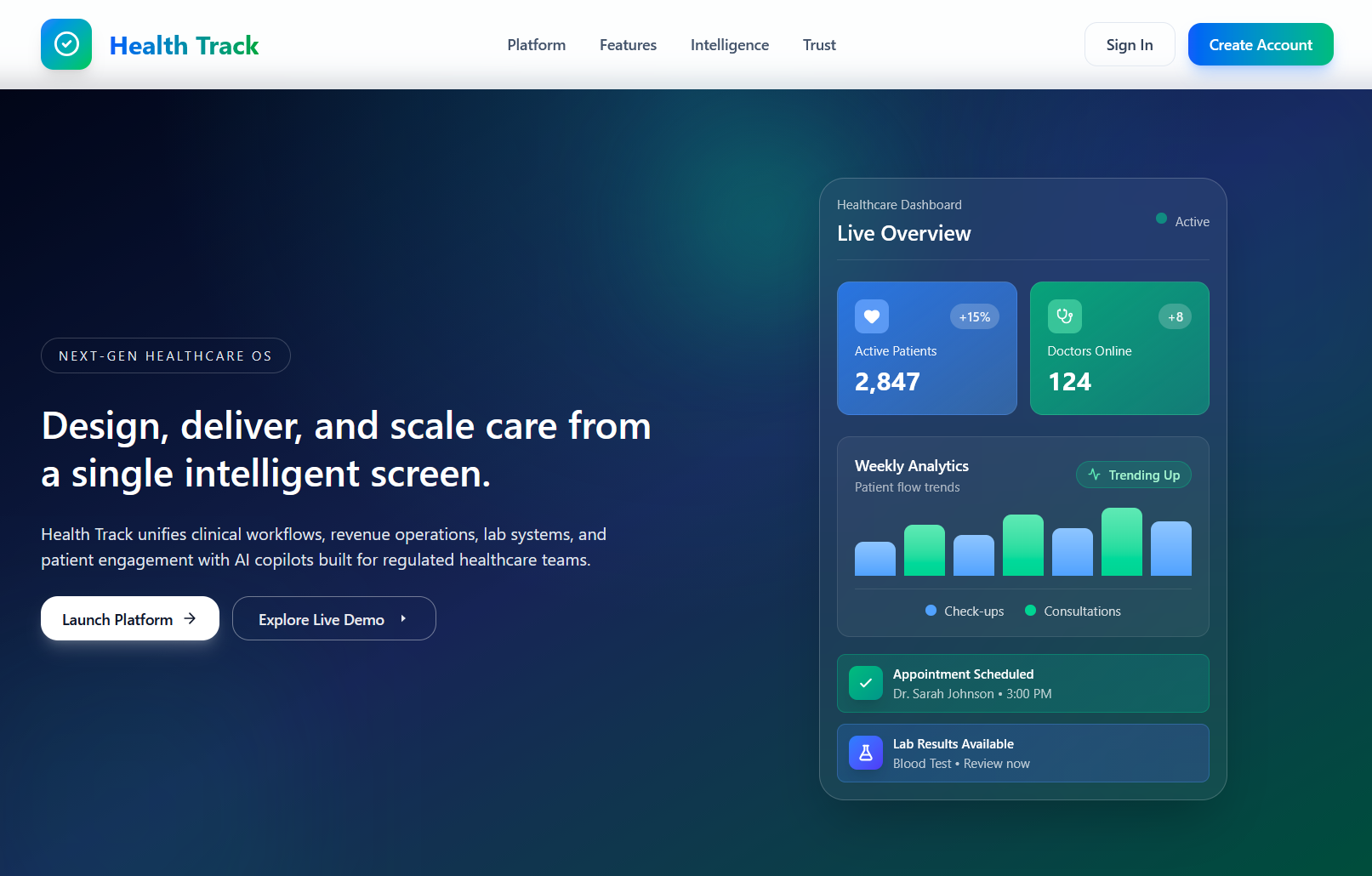
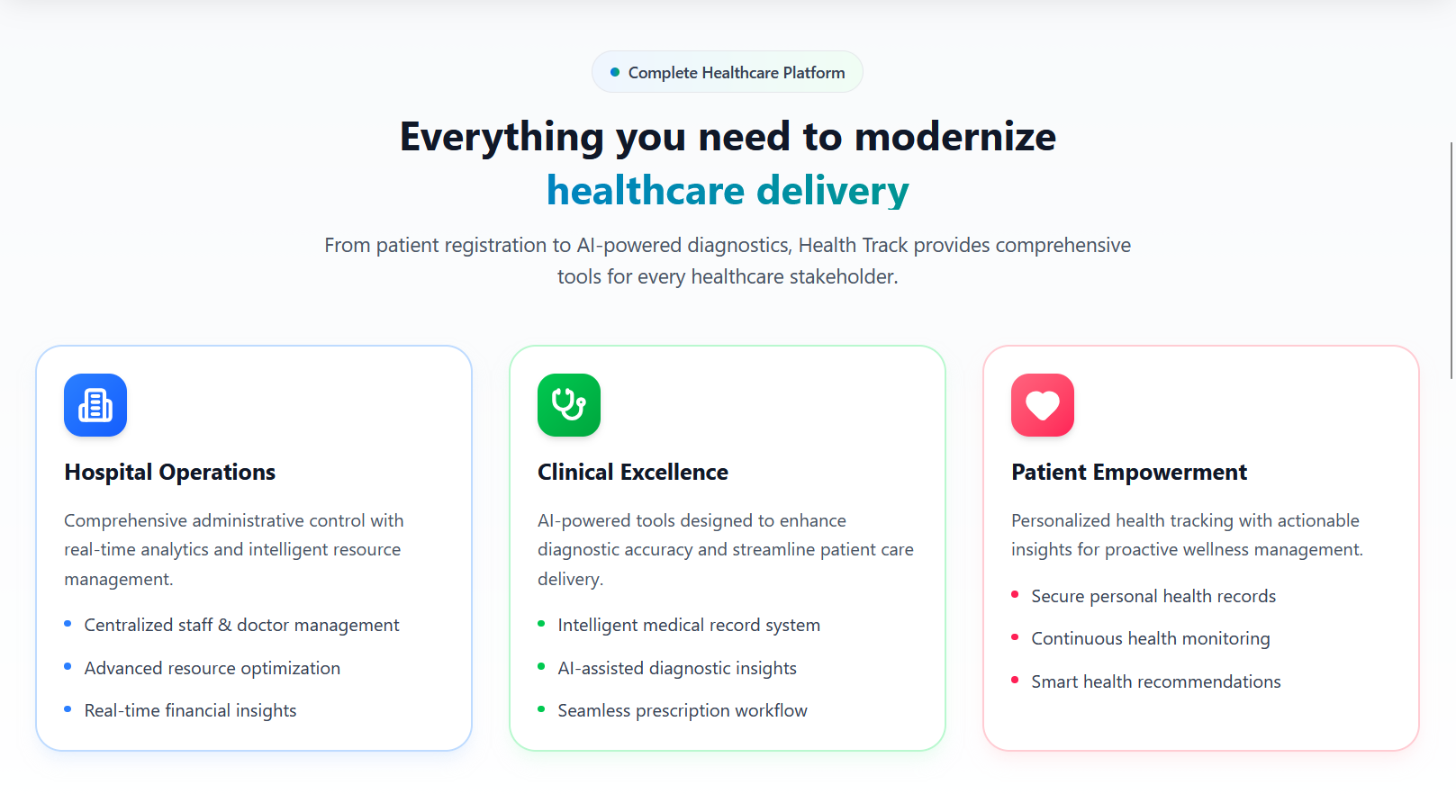
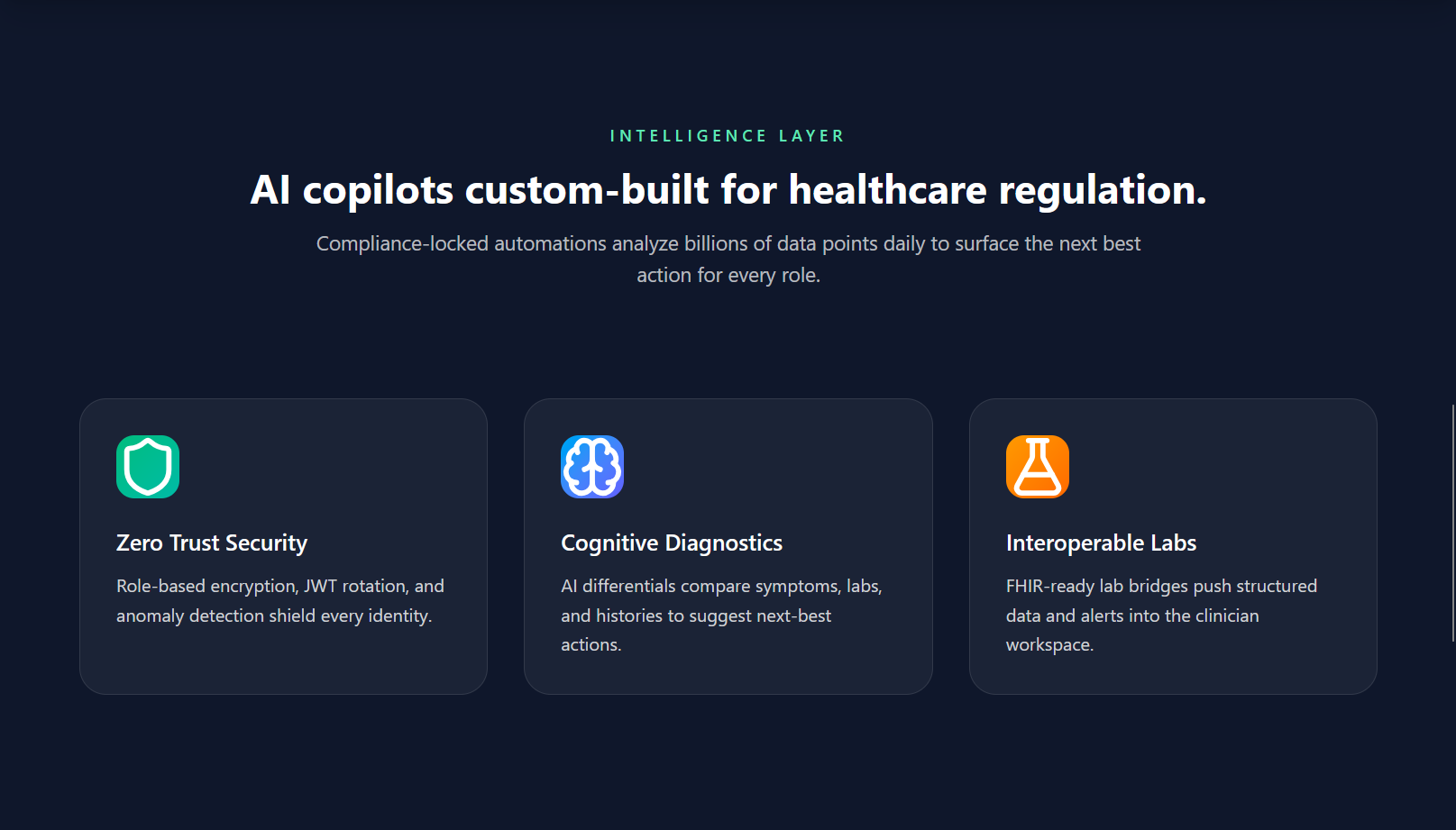
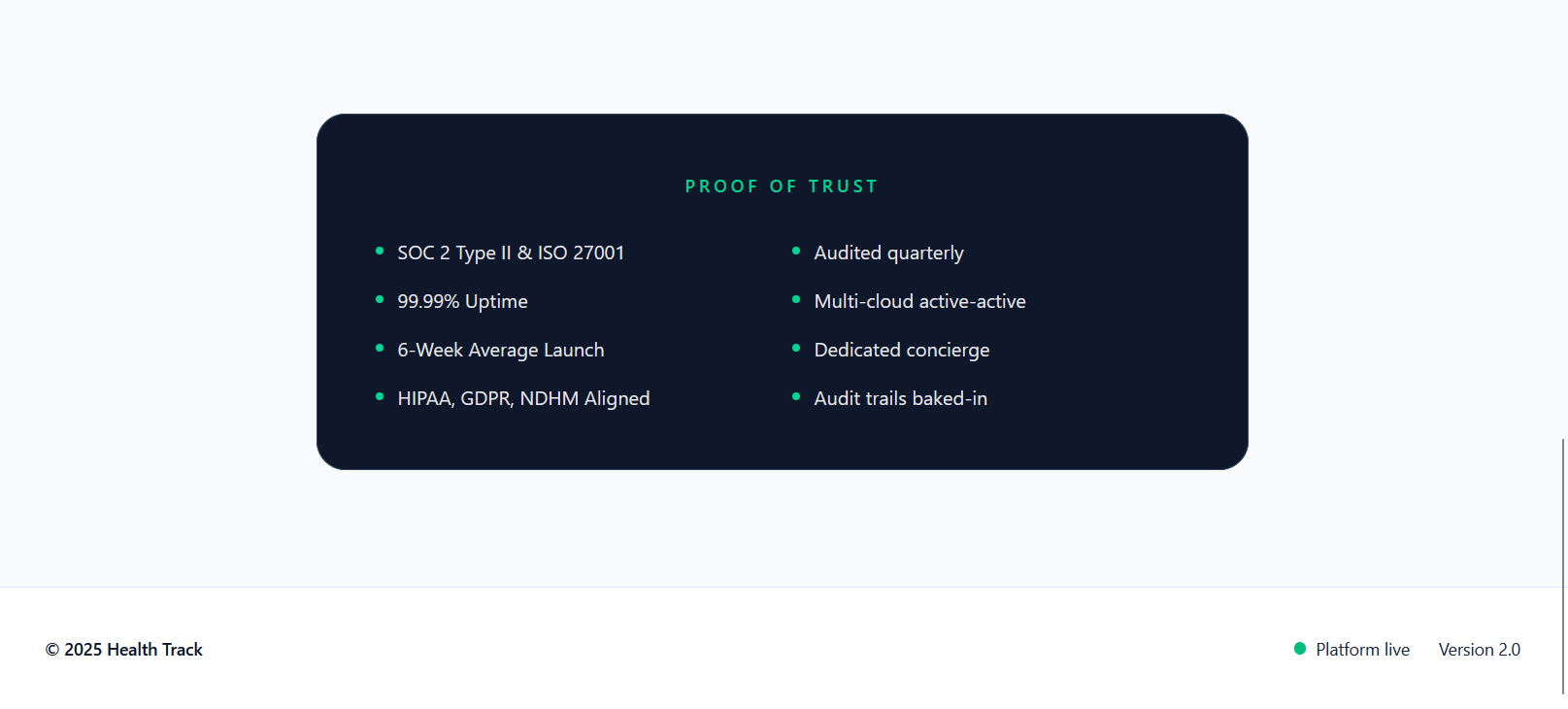
Authentication
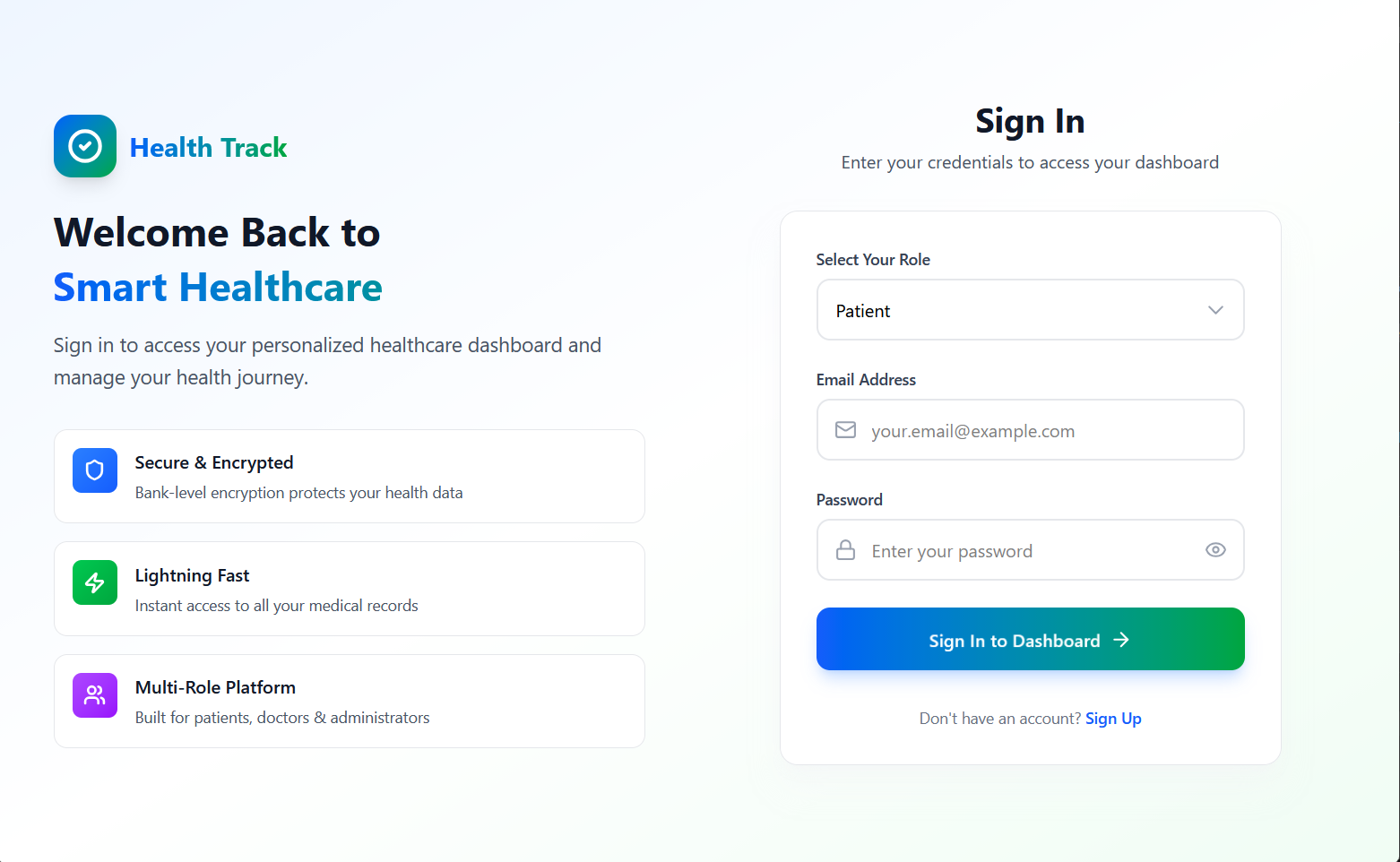
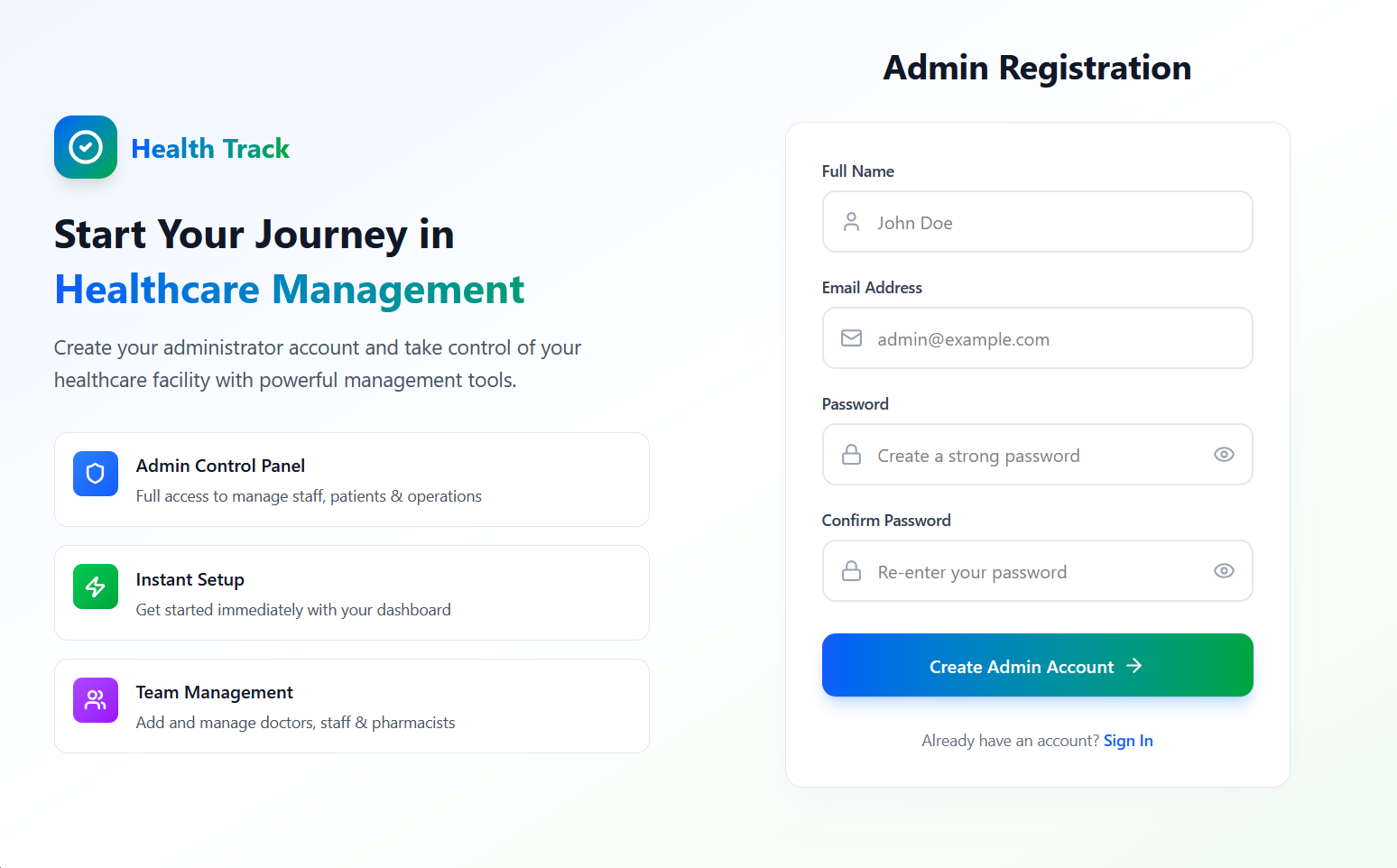
Technologies Used 🛠️
Frontend
| Technology | Purpose |
|---|---|
| React.js 19 | UI Framework |
| React Router 7 | Client-side routing |
| Tailwind CSS 4 | Styling |
| Axios | HTTP client |
| Lucide React | Icons |
| Vite | Build tool and dev server |
Backend
| Technology | Purpose |
|---|---|
| Node.js | Runtime environment |
| Express.js | Web framework |
| MongoDB | Database |
| Mongoose | MongoDB ODM |
| JWT | Authentication |
| bcryptjs | Password hashing |
| AWS SDK | S3 file storage |
| Multer | File upload handling |
| PDFKit | PDF report generation |
| Twilio | SMS notifications |
Project Architecture 🏗️
Health-Track/
├── backend/
│   ├── config/
│   │   └── s3Config.js          # AWS S3 configuration
│   ├── middleware/
│   │   └── authMiddleware.js    # JWT authentication middleware
│   ├── models/                  # MongoDB schemas
│   │   ├── Admin.js
│   │   ├── Doctor.js
│   │   ├── Patient.js
│   │   ├── Pharmacist.js
│   │   ├── Medicine.js
│   │   ├── Document.js
│   │   ├── Report.js
│   │   ├── Schedule.js
│   │   ├── Transaction.js
│   │   └── User.js
│   ├── routes/                  # API route handlers
│   │   ├── authRoutes.js
│   │   ├── adminRoutes.js
│   │   ├── doctorRoutes.js
│   │   ├── pharmacistRoutes.js
│   │   ├── documentRoutes.js
│   │   ├── patientRoutes.js
│   │   └── aiRoutes.js
│   ├── db.js                    # MongoDB connection
│   ├── server.js                # Express server entry point
│   ├── package.json
│   └── vercel.json              # Vercel deployment config
├── frontend/
│   ├── src/
│   │   ├── pages/               # React page components
│   │   │   ├── Homepage.jsx
│   │   │   ├── SignIn.jsx
│   │   │   ├── SignUp.jsx
│   │   │   ├── AdminDashboard.jsx
│   │   │   ├── DoctorDashboard.jsx
│   │   │   ├── PatientDashboard.jsx
│   │   │   ├── PharmacistDashboard.jsx
│   │   │   └── NotFound.jsx
│   │   ├── services/            # API service layer
│   │   │   ├── api.js
│   │   │   └── authService.js
│   │   ├── App.jsx              # Main app with routing
│   │   ├── main.jsx             # Entry point
│   │   └── index.css            # Global styles
│   ├── public/
│   ├── package.json
│   └── vite.config.js
└── docs/
    ├── screenshots/
    └── roadmap.txt
Data Structures 📊
MongoDB Models
Admin Schema
{
  fullname: String (required),
  email: String (unique, required),
  password: String (required, hashed),
  role: String (default: "admin"),
  gender: String (enum: ["male", "female", "other", ""]),
  phone: String,
  timestamps: true
}
Doctor Schema
{
  name: String (required),
  email: String (unique, required),
  password: String (required, hashed),
  specialization: String,
  admin_id: ObjectId (ref: "Admin", required),
  role: String (default: "doctor"),
  timestamps: true
}
Patient Schema
{
  name: String (required),
  email: String (unique, required),
  password: String (required, hashed),
  doctor_id: ObjectId (ref: "Doctor", required),
  admin_id: ObjectId (ref: "Admin"),
  role: String (default: "patient"),
  timestamps: true
}
Pharmacist Schema
{
  name: String (required),
  email: String (unique, required),
  password: String (required, hashed),
  gender: String (enum: ["male", "female", "other", ""]),
  phone: String,
  inventory: [String],
  admin_id: ObjectId (ref: "Admin", required),
  role: String (default: "pharmacist"),
  timestamps: true
}
Medicine Schema
{
  name: String (required),
  description: String,
  quantity: Number (default: 0),
  category: String,
  expiryDate: Date,
  price: Number,
  patient_id: ObjectId (ref: "Patient"),
  doctor_id: ObjectId (ref: "Doctor"),
  pharmacist_id: ObjectId (ref: "Pharmacist"),
  timestamps: true
}
Document Schema
{
  title: String (required),
  description: String,
  fileUrl: String,
  patient_id: ObjectId (ref: "Patient"),
  doctor_id: ObjectId (ref: "Doctor"),
  uploadedBy: ObjectId (ref: "Doctor"),
  fileName: String,
  originalName: String,
  fileType: String,
  fileSize: Number,
  s3Key: String,
  s3Url: String,
  category: String (enum: ["lab-report", "prescription", "scan", "consultation", "other"]),
  status: String (enum: ["pending", "verified", "under-review"]),
  timestamps: true
}
Transaction Schema
{
  type: String (required, enum: ["add", "issue", "remove", "update"]),
  medicineName: String (required),
  medicineId: ObjectId (ref: "Medicine"),
  quantity: Number (required),
  price: Number,
  totalAmount: Number,
  patientName: String,
  notes: String,
  pharmacist_id: ObjectId (ref: "Pharmacist", required),
  previousQuantity: Number,
  newQuantity: Number,
  timestamps: true
}
Report Schema
{
  title: String (required),
  description: String,
  reportType: String (enum: ["inventory", "transaction", "summary", "custom"]),
  pharmacist_id: ObjectId (ref: "Pharmacist", required),
  fileName: String,
  originalName: String,
  fileType: String (default: "application/pdf"),
  fileSize: Number,
  s3Key: String,
  s3Url: String,
  dateFrom: Date,
  dateTo: Date,
  generatedAt: Date,
  status: String (enum: ["generating", "completed", "failed"]),
  timestamps: true
}
Schedule Schema
{
  doctor_id: ObjectId (ref: "Doctor"),
  patient_id: ObjectId (ref: "Patient"),
  appointmentDate: Date (required),
  notes: String,
  timestamps: true
}
API Documentation 📡
Base URL
- Local Development:
http://localhost:5000 - Production: Your deployed API URL
Health Check Endpoints
| Method | Endpoint | Description |
|---|---|---|
| GET | / |
API status and version |
| GET | /api/health |
Health check with uptime |
Authentication Routes (/auth)
| Method | Endpoint | Description | Request Body |
|---|---|---|---|
| POST | /sign-up |
Register new admin (role must be “admin”) | { fullname, email, password, role: "admin" } |
| POST | /sign-in |
Sign in for all roles | { email, password, role } |
Note: The
/sign-upendpoint only allows admin registration. Therolefield must be set to"admin". Other user types (doctors, pharmacists, patients) are created by admins through the admin routes.
Response: Returns JWT token and user object
Admin Routes (/admin)
| Method | Endpoint | Description | Auth Required |
|---|---|---|---|
| POST | /add-user |
Add doctor or pharmacist | Yes (Admin) |
| GET | /users |
Get all staff (doctors/pharmacists) | Yes (Admin) |
| DELETE | /remove-user/:id |
Remove doctor or pharmacist | Yes (Admin) |
| GET | /patients |
Get all patients | Yes (Admin) |
| POST | /add-patient |
Add a new patient | Yes (Admin) |
| DELETE | /remove-patient/:id |
Remove a patient | Yes (Admin) |
| GET | /profile |
Get admin profile | Yes (Admin) |
| PUT | /profile |
Update admin profile | Yes (Admin) |
| PUT | /change-password |
Change admin password | Yes (Admin) |
Doctor Routes (/doctor)
| Method | Endpoint | Description | Auth Required |
|---|---|---|---|
| GET | /my-patients |
Get patients assigned to doctor | Yes (Doctor) |
| POST | /add-patient |
Add a new patient | Yes (Doctor) |
| DELETE | /remove-patient/:id |
Remove a patient | Yes (Doctor) |
Pharmacist Routes (/pharmacist)
| Method | Endpoint | Description | Auth Required |
|---|---|---|---|
| POST | /add-medicine |
Add medicine to inventory | Yes (Pharmacist) |
| GET | /medicines |
Get all medicines | Yes (Pharmacist) |
| PUT | /update-medicine/:id |
Update medicine details | Yes (Pharmacist) |
| POST | /issue-medicine |
Issue medicine to patient | Yes (Pharmacist) |
| DELETE | /remove-medicine/:id |
Remove medicine from inventory | Yes (Pharmacist) |
| GET | /inventory-stats |
Get inventory statistics | Yes (Pharmacist) |
| GET | /transactions |
Get all transactions | Yes (Pharmacist) |
| GET | /profile |
Get pharmacist profile | Yes (Pharmacist) |
| PUT | /profile |
Update pharmacist profile | Yes (Pharmacist) |
| PUT | /update-password |
Change pharmacist password | Yes (Pharmacist) |
| GET | /reports |
Get all generated reports | Yes (Pharmacist) |
| POST | /generate-report |
Generate a new PDF report | Yes (Pharmacist) |
| GET | /report-download/:reportId |
Get report download URL | Yes (Pharmacist) |
| DELETE | /report/:reportId |
Delete a report | Yes (Pharmacist) |
Document Routes (/api/documents)
| Method | Endpoint | Description | Auth Required |
|---|---|---|---|
| POST | /upload |
Upload a medical document | Yes (Patient) |
| POST | /list |
Get all documents for patient | Yes (Patient) |
| POST | /view/:documentId |
Get pre-signed URL to view document | Yes (Patient) |
| POST | /download/:documentId |
Get pre-signed URL to download | Yes (Patient) |
| DELETE | /:documentId |
Delete a document | Yes (Patient) |
Database Interaction
The application uses Mongoose as the ODM (Object Document Mapper) for MongoDB. Key database interactions include:
- Connection Management: Singleton pattern with connection pooling (
db.js) - CRUD Operations: Full create, read, update, delete operations for all entities
- References: Documents use ObjectId references for relationships (e.g.,
doctor_idin Patient) - Timestamps: All models include automatic
createdAtandupdatedAtfields - Indexing: Unique indexes on email fields for fast lookups
Getting Started 🚀
Prerequisites
- Node.js (v18 or higher recommended)
- npm or yarn
- MongoDB (local installation or MongoDB Atlas)
- AWS Account (optional, for S3 file storage)
Installation
-
Clone the repository
git clone https://github.com/abhinavkumar2369/Health-Track.git cd Health-Track -
Backend Setup
cd backend npm install -
Frontend Setup
cd ../frontend
npm install
Running the Application
-
Start the Backend Server
cd backend
npm start
# or for development with hot reload:
npm run dev
The backend server will start at
http://localhost:5000 -
Start the Frontend Development Server
cd frontend
npm run dev
The frontend will start at
http://localhost:5173(default Vite port) -
Build Frontend for Production
cd frontend
npm run build
Environment Variables 🔐
Backend (backend/.env)
Create a .env file in the backend directory:
# Server Configuration
PORT=5000

# MongoDB Configuration
MONGO_URI=mongodb://localhost:27017/health-track

# JWT Secret (Change this in production!)
JWT_SECRET=your_super_secret_jwt_key_change_this_in_production

# AWS S3 Configuration (Optional - for file storage)
AWS_ACCESS_KEY_ID=your_aws_access_key
AWS_SECRET_ACCESS_KEY=your_aws_secret_key
AWS_REGION=your_aws_region
AWS_BUCKET_NAME=your_bucket_name

# Twilio Configuration (Optional - for SMS)
TWILIO_ACCOUNT_SID=your_twilio_sid
TWILIO_AUTH_TOKEN=your_twilio_token
TWILIO_PHONE_NUMBER=your_twilio_phone
Frontend (frontend/.env)
Create a .env file in the frontend directory:
# Backend API URL
VITE_API_URL=http://localhost:5000
Usage 🏥
Getting Started as an Admin
- Visit the homepage at
http://localhost:5173 - Click Sign Up to create a new admin account
- Fill in your details and register
- You’ll be redirected to the Admin Dashboard
Admin Dashboard
- Add and manage doctors, pharmacists, and patients
- View organization statistics
- Update your profile and change password
Doctor Dashboard
- Sign in with your doctor credentials
- View and manage your assigned patients
- Add new patients to your care
Pharmacist Dashboard
- Sign in with your pharmacist credentials
- Manage medicine inventory (add, update, remove)
- Issue medicines to patients
- View transaction history
- Generate and download reports
Patient Dashboard
- Sign in with your patient credentials
- Upload and manage medical documents
- View your health records
License 📄
This project is licensed under the Apache License, Version 2.0. See the LICENSE file for details.